Stay updated with the latest features and improvements.
2026
September
10 New8 Updated4 Fixed
23-09-2026
New
Store and reuse values across a scenario with new dynamic content methods
Two new dynamic content methods, SetDataFieldValue and ClearDataFieldValue, let you set and clear the value of a scenario data field and use it in the later scenario steps. This way, a value captured in one step, e.g., a discount code, can be reused in the next message without creating a customer attribute for it.
These methods are especially useful in scenarios that send several messages.
New
Unified activity and session logs for websites and mobile apps
Now, customer activities in your mobile app are logged in ECDP alongside website activities. In Settings > Logs > Tracking – Sessions or Tracking – Events, select mobile app as a source to see every tracked in-app action, from product views and cart changes to orders and push interactions, matched with the customer, device, and session.
Logs from apps and websites have been merged into one log for easier browsing. To keep the data clear, the tracked metrics change according to the selected source — device ID replaces visitor ID for apps.
New
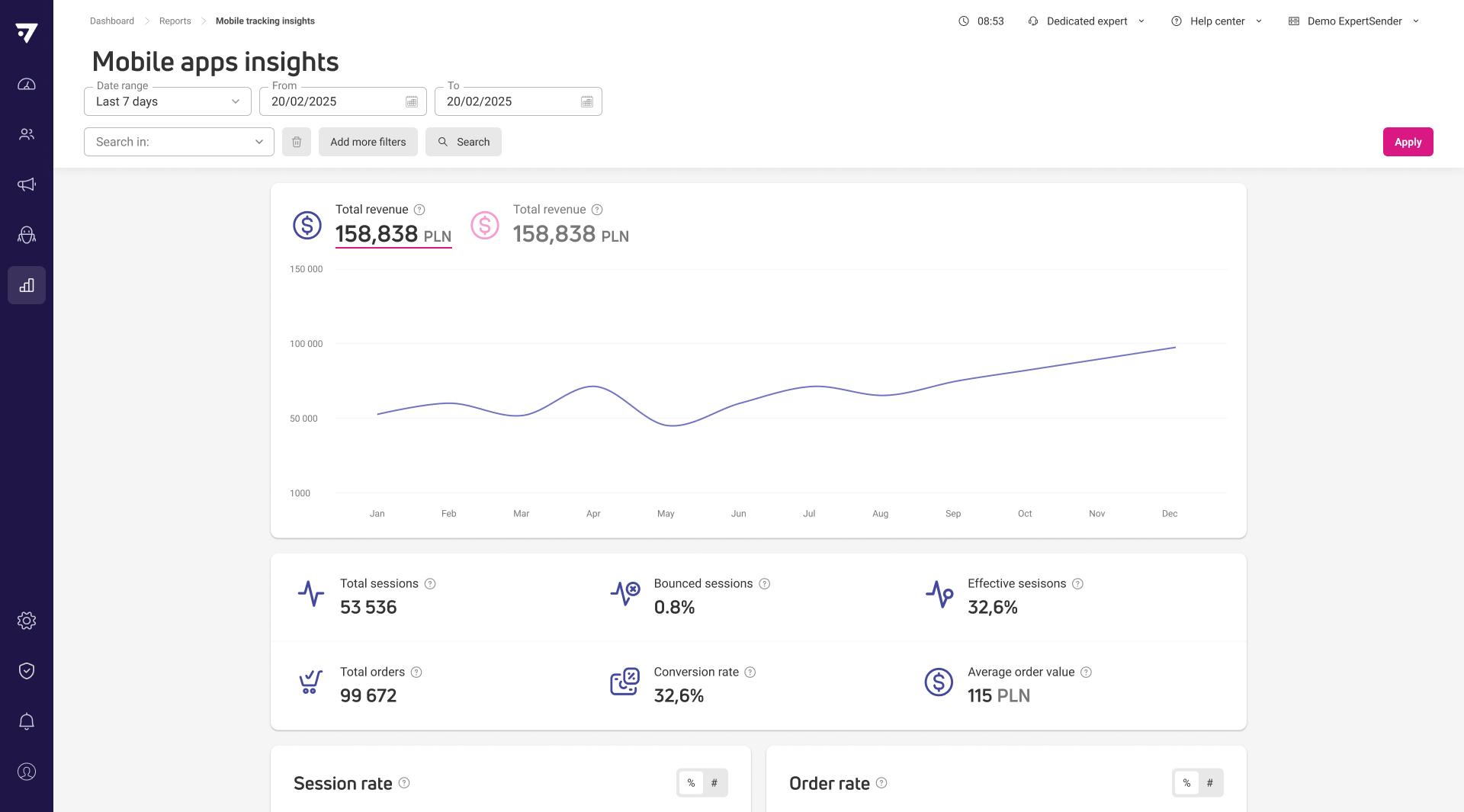
New Mobile app insights report
Reports now include a Mobile app insights report, next to Website insights, covering sessions, orders and revenue generated through your mobile apps. It shows total and ECDP-attributed revenue over time, core metrics — sessions, bounce rate, effective sessions, orders, conversion rate and average order value — and a day-and-hour heatmap for when sessions and orders peak. You can filter results by app and break them down by date, month or app in a table.
New
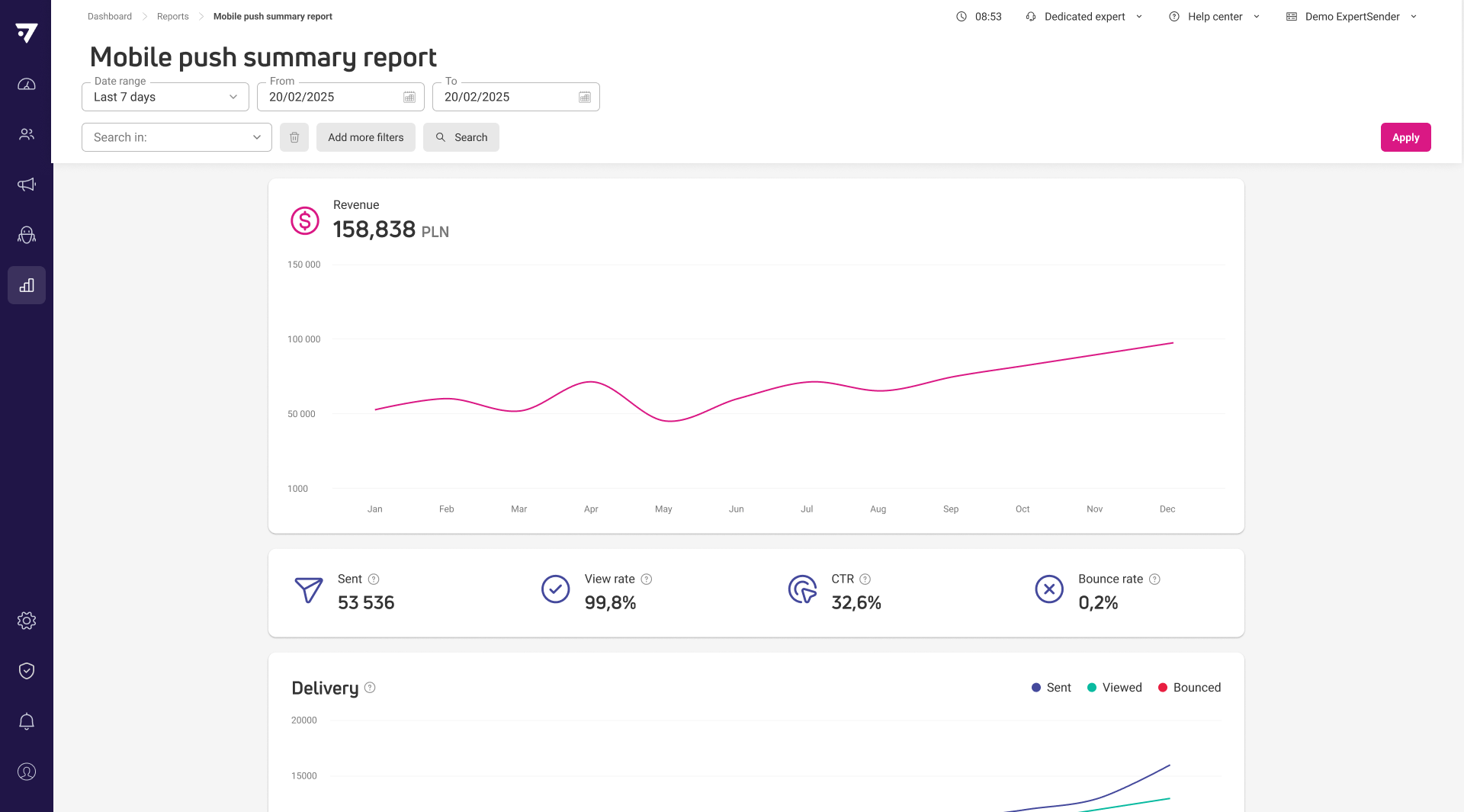
New summary report for all mobile push campaigns
Reports now include a Mobile push summary, alongside Email, SMS and Web push, so you can see every mobile push message sent in a date range in one place. It shows revenue over time, the same four key metrics as the single-message report, and delivery, views and clicks broken down with a day-and-hour heatmap. A Campaigns grid lists every message with its revenue, recipients and engagement — click through to see that message’s own report.
New
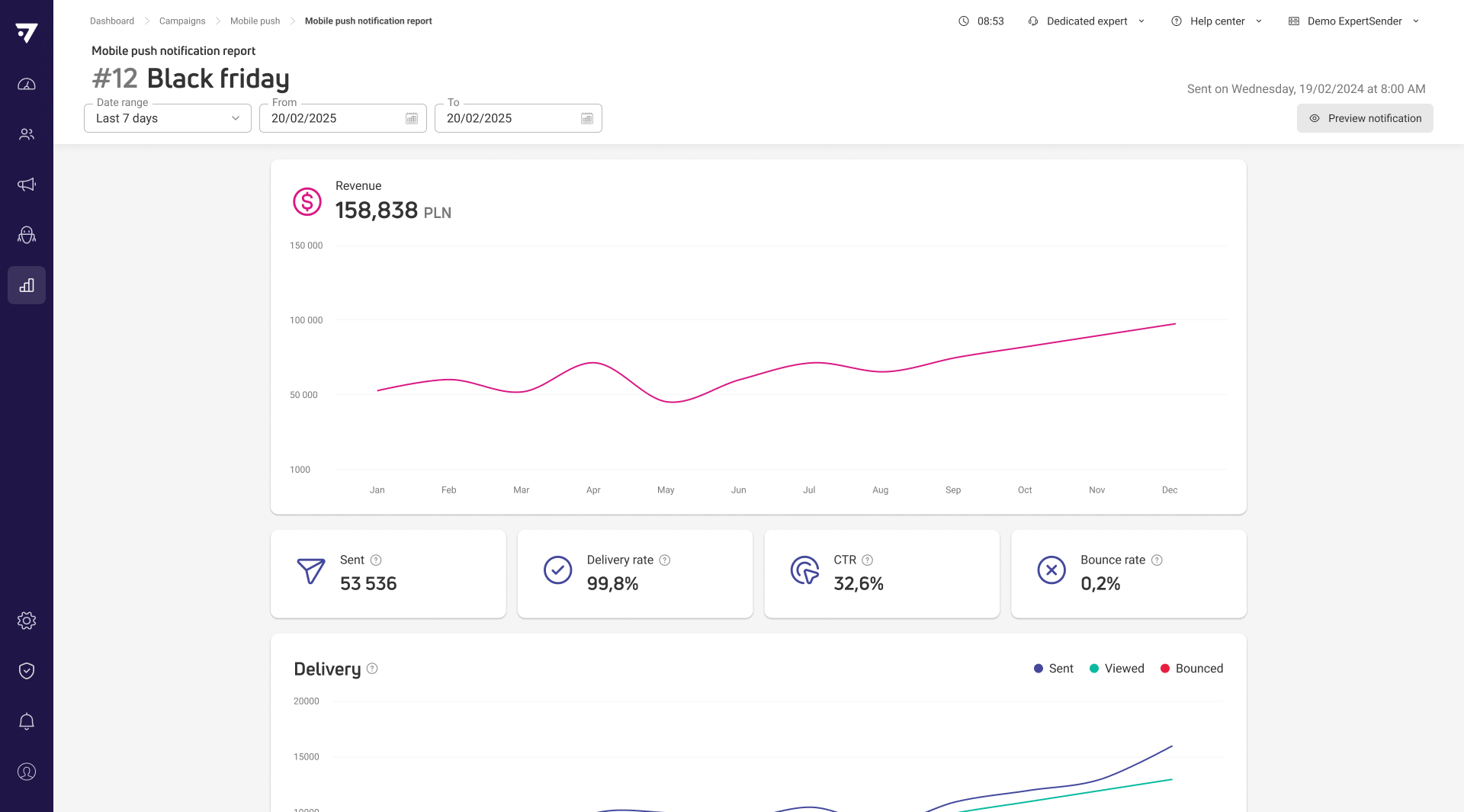
New report for individual mobile push messages
You can now open a report for a single mobile push message, showing revenue over time and four key metrics — sent, view rate, CTR and bounce rate. Delivery, views and clicks are broken down over time too, with a day-and-hour heatmap highlighting when recipients engage most.
New
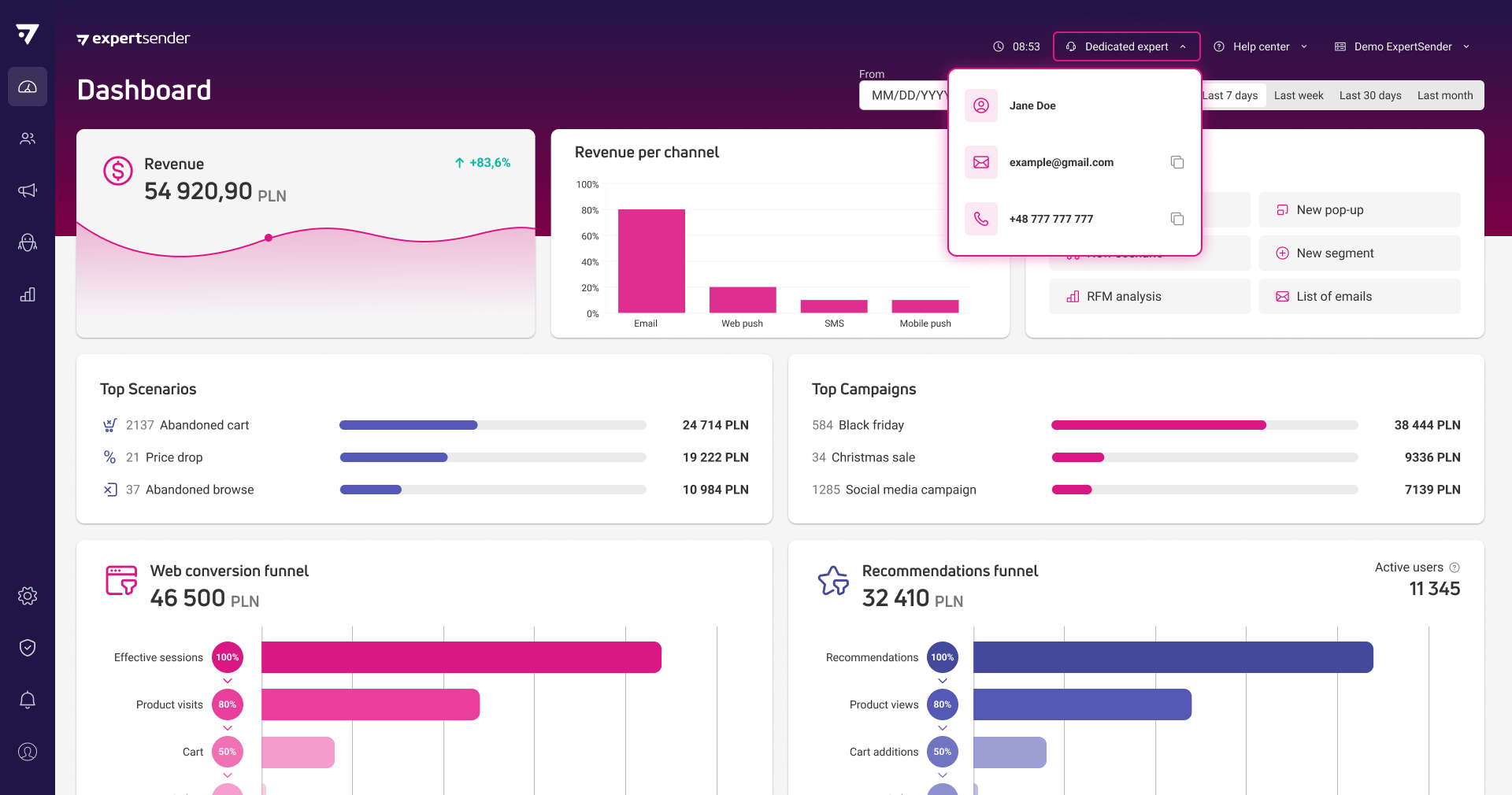
See your dedicated account manager in the client panel
You can now see your dedicated account manager directly in the ECDP client panel. A new button in the top navigation bar, next to Help center, shows their photo, name, email and phone number, with one-click email and copy actions. The button appears only when your organization has an account manager assigned.
New
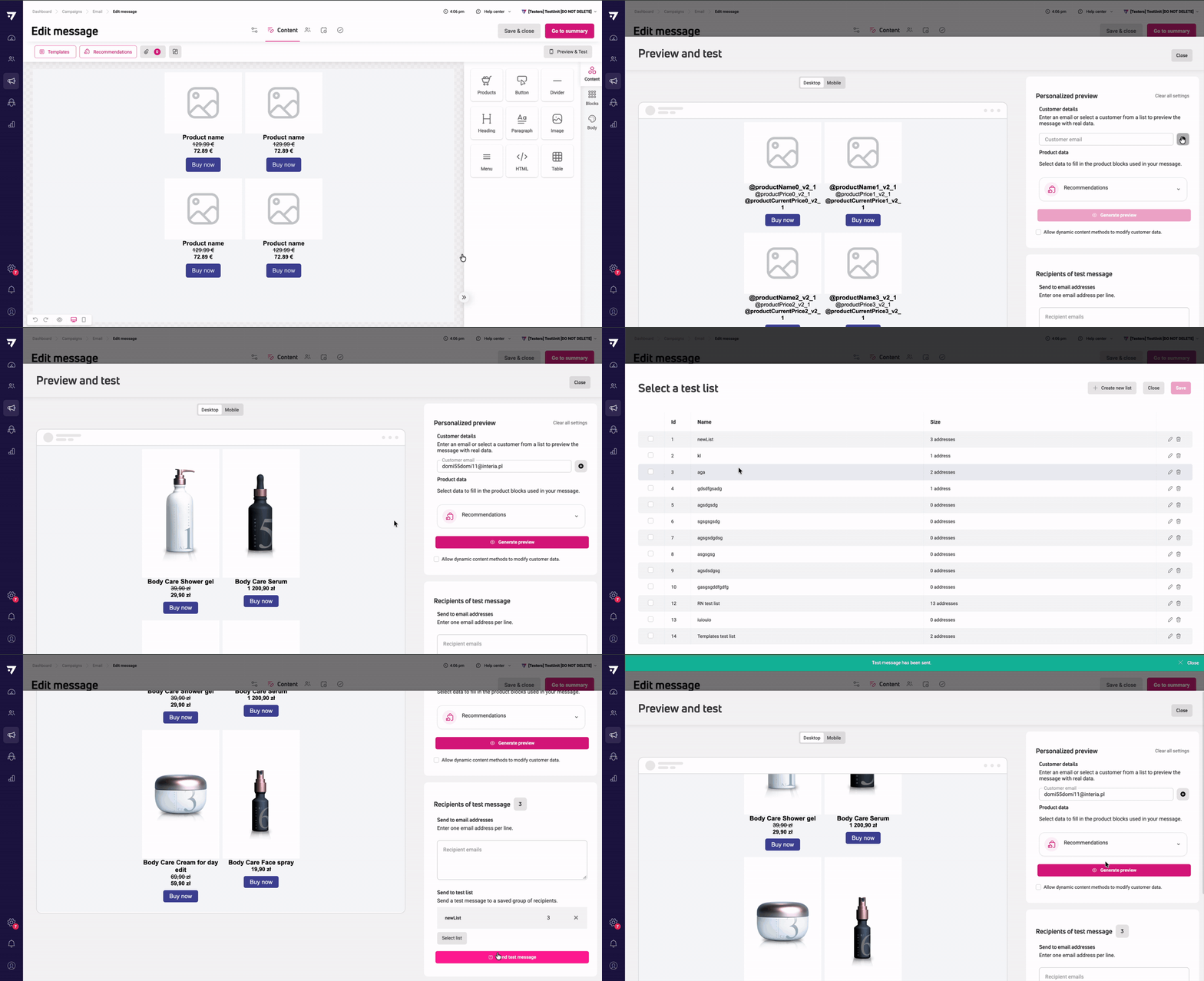
Preview and test email messages before sending
You can now preview and test email messages directly from the message editor’s manage bar — switch between desktop and mobile rendering, for a specific customer or a random one, with live cart, price drop, abandoned browse and recommendation data. Placeholders now resolve with the selected customer’s real data, so what you see matches what recipients will get. From the same panel, you can also send test messages to individual addresses or saved test lists, with a running count of total recipients and the option to create a new list on the spot.
Updated
Web push reports rename ‘Unsubscribed’ to ‘Bounced’
Web push reports and exports now label this metric ‘Bounced’ instead of ‘Unsubscribed’, since the number combines opt-outs and browser delivery errors. The tooltip and formula wording are updated to match; the number itself hasn’t changed.
Updated
Validation flags invalid unsubscribe links before sending
ECDP now blocks sending when a message’s unsubscribe link is broken — for example when it was copied from a preview instead of inserted as a proper link — so recipients trying to unsubscribe won’t hit a 404 error. You can still save the message as a draft while you fix the link.
Updated
Faster test sending for emails with many tracked links
Sending a test email with click tracking now validates all tracked links in a single batch instead of one request per link, so messages with many links send noticeably faster.
Updated
Product catalog imports now auto-detect the decimal separator in prices
Product catalog imports now detect which decimal separator was used in prices, depending on its position in the value – a comma or a period. For example, 1,099.00 and 1.099,00 both import as 1099.00, regardless of the initial separator type.
This change applies to all kinds of money data fetched in catalog imports, such as price, sale price, and Omnibus price, as well as custom Money attributes for customer, order and product data.
Updated
More flexible exit conditions and clearer duplicate handling in scenario settings
In scenario settings, you can now remove customers from a scenario when they place an order, visit a specific website, or open a specific mobile app. If needed, you can also add extra conditions: order status for orders and a time window.
The default setting for returning customers is Ignore.
Fixed
Fixed dynamic content validation errors leaking between message wizards
A dynamic content validation error from the Mobile push wizard no longer appears when you open a different message wizard, such as the email drag-and-drop editor.
Fixed
Fixed inconsistent consent source recorded by the AddOrUpdate API
Consents added or updated through the AddOrUpdate API now always show API as the source. Previously, they showed Customer 360 profile when the API call updated an existing customer.
Fixed
Fixed duplicated attributes in ‘Import orders’ mapping
When you map fields in Import Orders, order and product attributes no longer appear twice. Previously, they were listed under both System attributes and Custom attributes, even though they’re only system attributes.
10-09-2026
New
Google Postmaster Tools and Yahoo Sender Hub records in onboarding
Google Postmaster Tools and Yahoo Sender Hub TXT records can now be added directly during unit setup, next to the existing SPF, DKIM and DMARC records. Once configured, both records appear in Domain authentication under Settings, with the same verification status you already see for other DNS records. This removes the need for a separate follow-up request after onboarding to add these records.
New
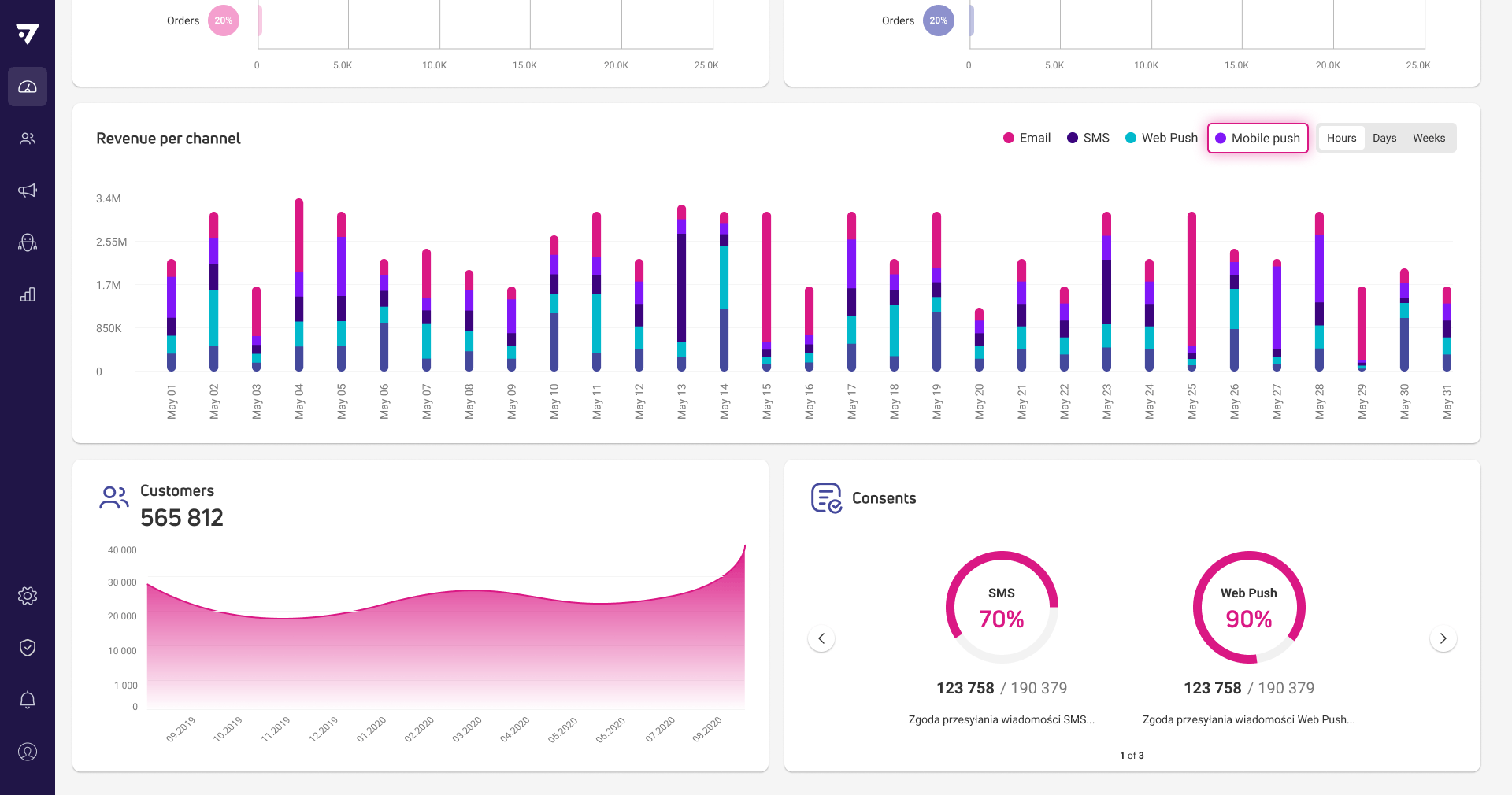
Mobile push appears in attribution reports and revenue grids
We added mobile push to the attribution report “Revenue per channel” in your Dashboard. This means you can compare how mobile push performs against your other channels (email, SMS, and web push) all in one place.
We also added a Revenue column to the tables in Campaigns > Mobile push and Scenarios, so you can see how well each notification is performing.
New
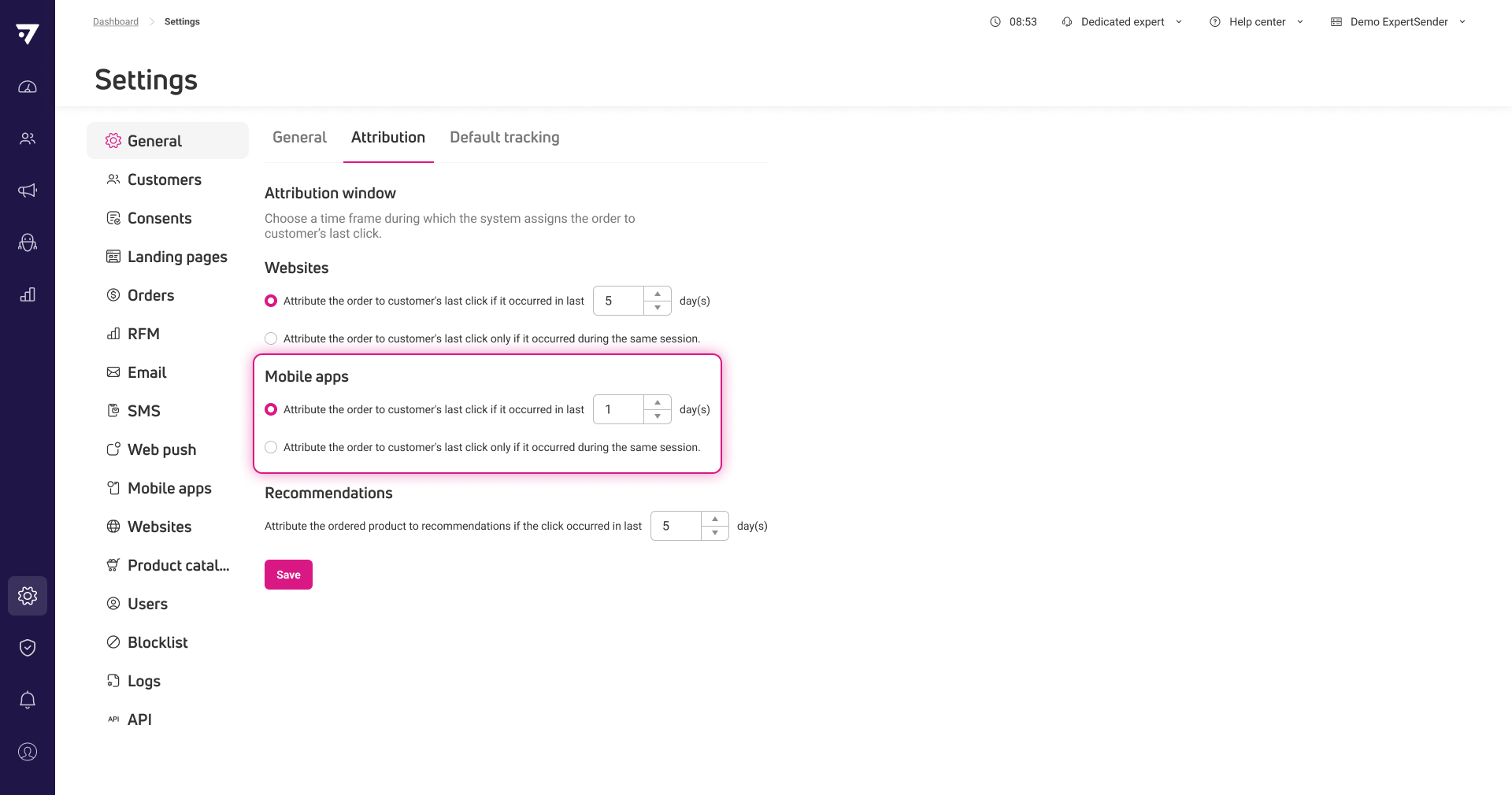
Separate attribution window for mobile app orders
You can now set a separate attribution window for mobile push orders. This means you can track how long after someone clicks a push notification an order still counts toward that channel.
The mobile window is independent from your website settings, so you can configure them differently per unit. Mobile push defaults to 1 day and website to 5 days, but you can adjust either one, or leave it same-session. Existing website settings won’t change.
Updated
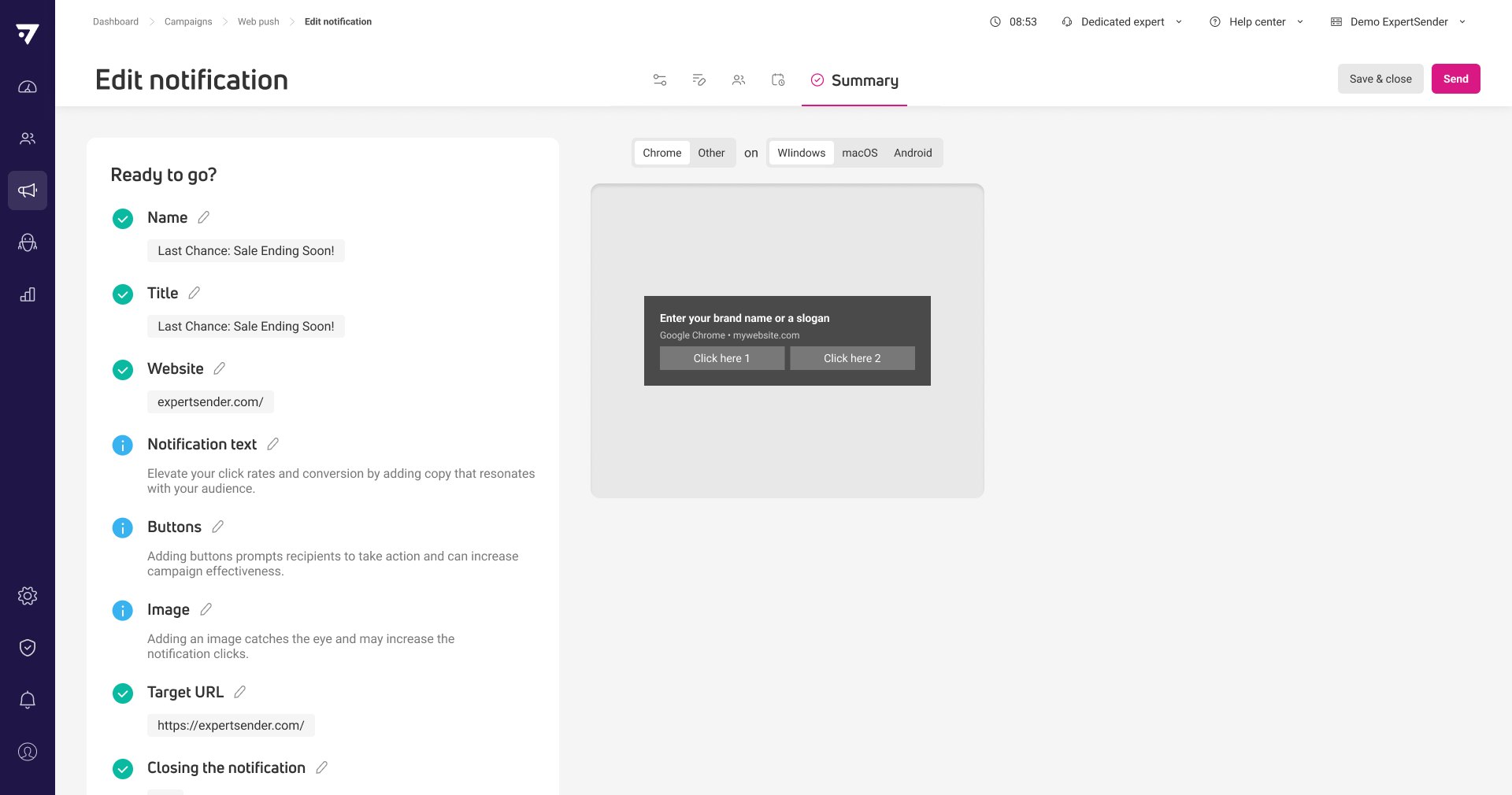
Clearer validation messages in campaign summaries
Validation messages in email, SMS and web push summaries now tell you exactly what to fix, like ‘Add an email subject’ or ‘Choose at least one consent’, instead of generic ‘field is required’ text. Available in English and Polish.
Updated
Marketing tips in campaign summaries no longer block you
Optional marketing recommendations like adding a preview text or a sender name now appear as non-blocking tips in campaign, form and web content summaries instead of warnings. You can safely skip them and continue to publish, activate or send.
Updated
Better default look for product blocks in pop-ups
New product blocks in pop-ups now show the regular price crossed out and the promotional price highlighted by default, instead of three unstyled prices. This applies to newly added blocks across all product block types.
Fixed
Correct time zone in product catalog download history
Dates in the product catalog download history now display in your business unit’s time zone.
August
2 New1 Updated1 Fixed
13-08-2026
New
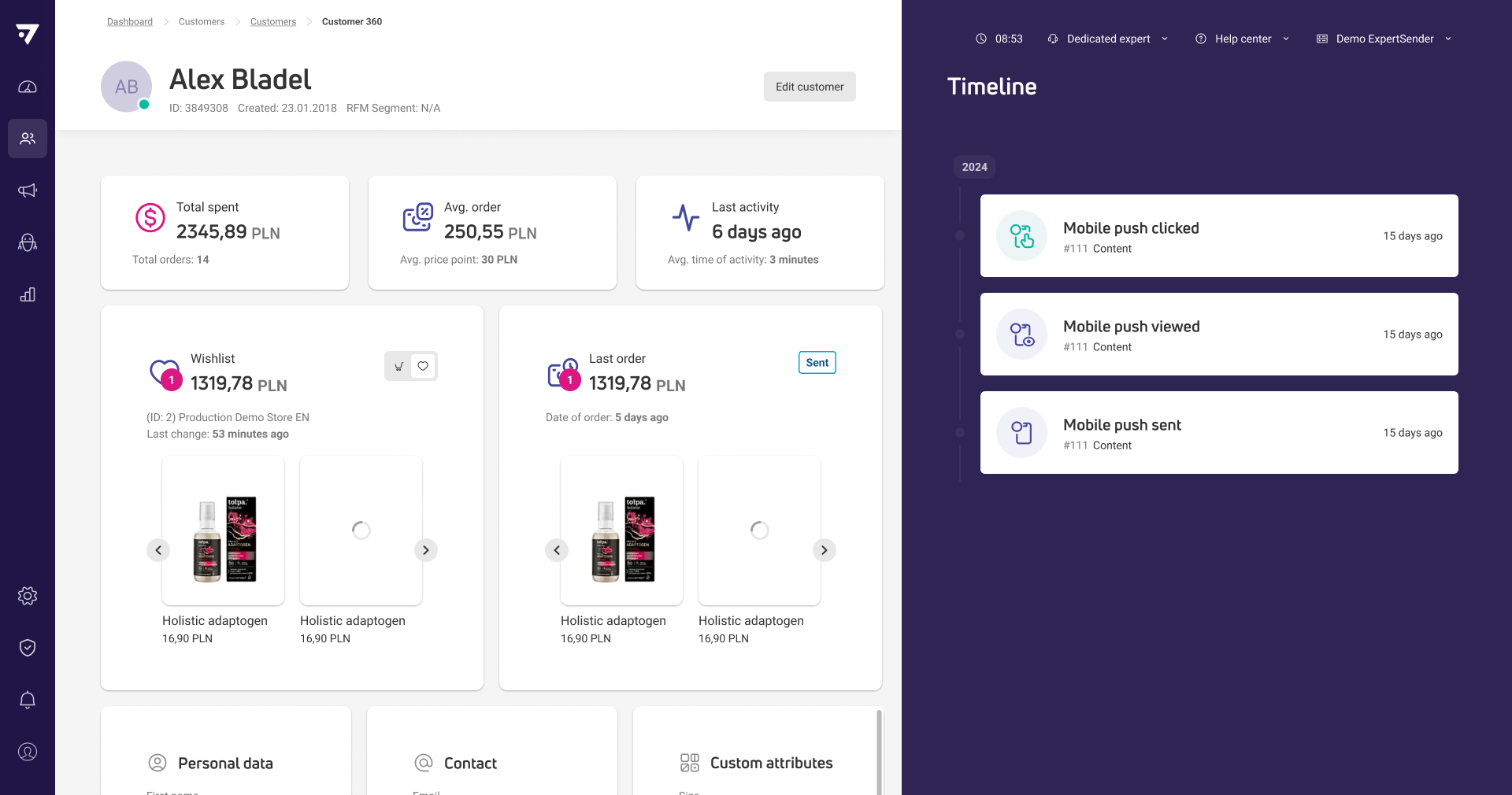
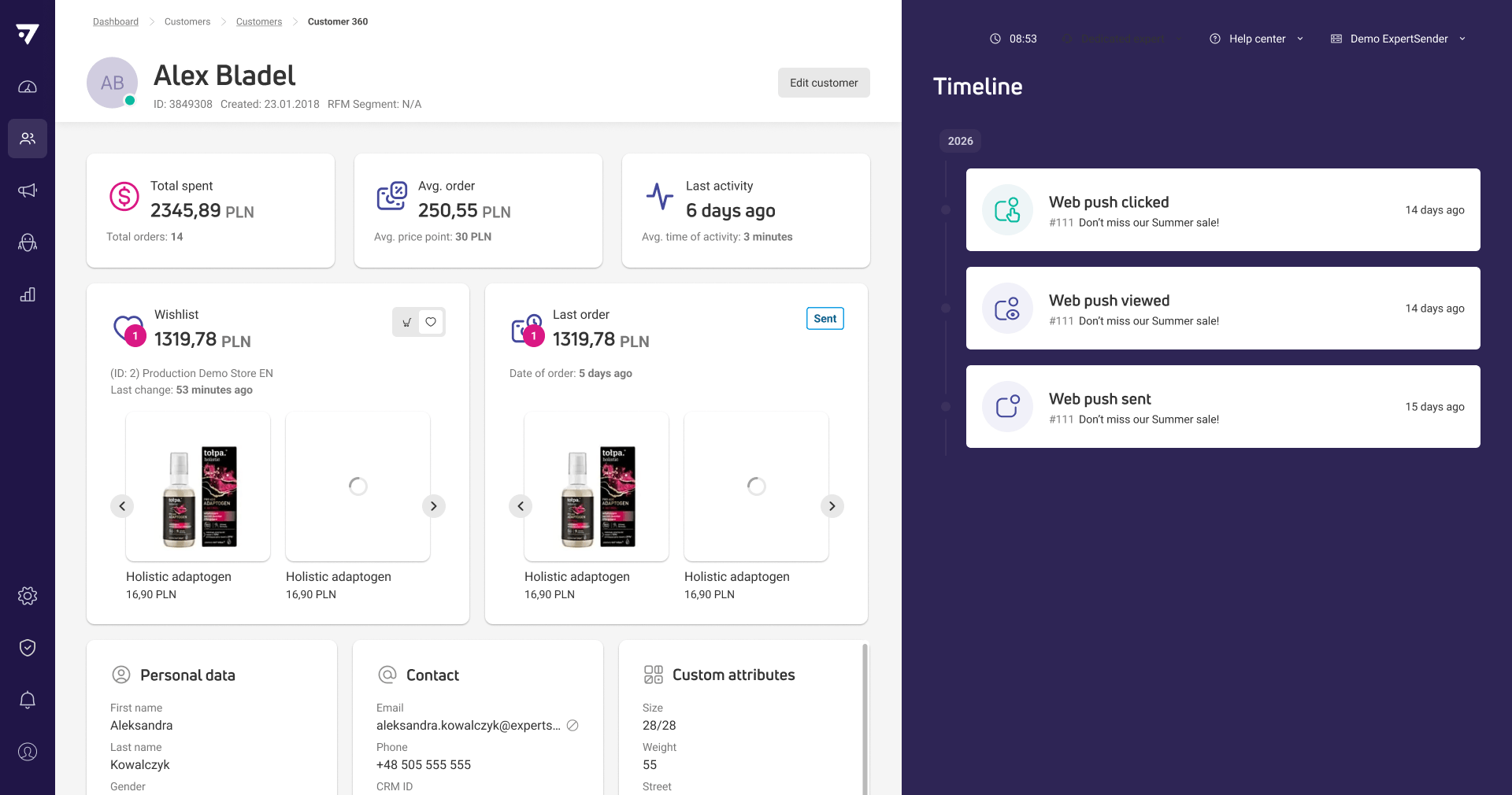
Mobile push events added to customer timeline
You can now view mobile push events such as sent, viewed, and clicked notifications directly in the Customer 360 timeline. This gives you a complete picture of each customer’s interactions with your mobile push campaigns.
New
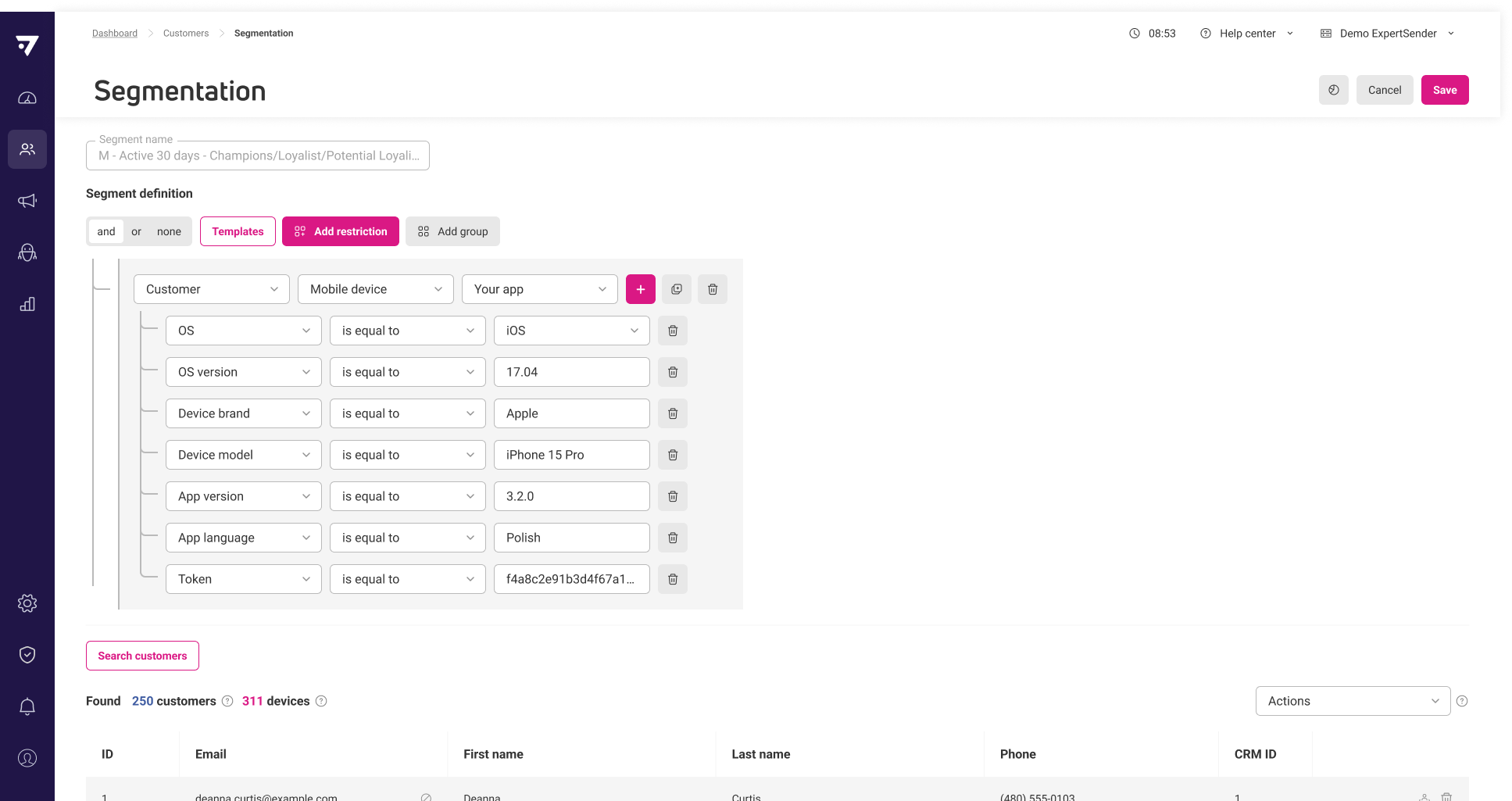
Segment customers by mobile device attributes
Now you can create segments based on specific attributes of customers’ registered mobile devices, such as OS, app version, language, or device brand. Segments can target customers using a particular app or device type, and only active devices are considered. The results grid displays both the number of unique customers and the number of matching devices, so you can see exactly how many devices meet your criteria. This makes it possible to target groups like customers using the app in Polish on iOS or those with outdated app versions.
Updated
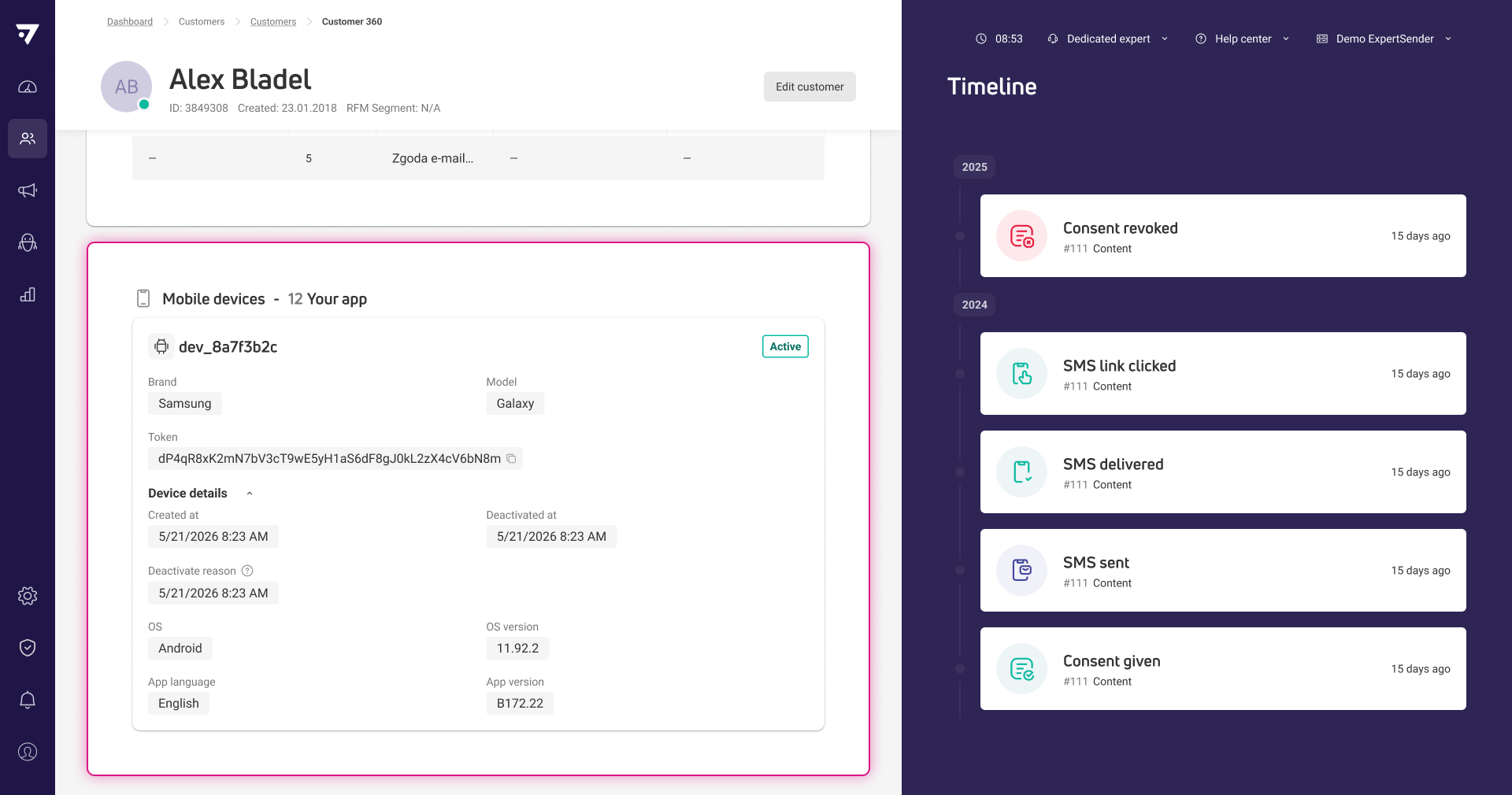
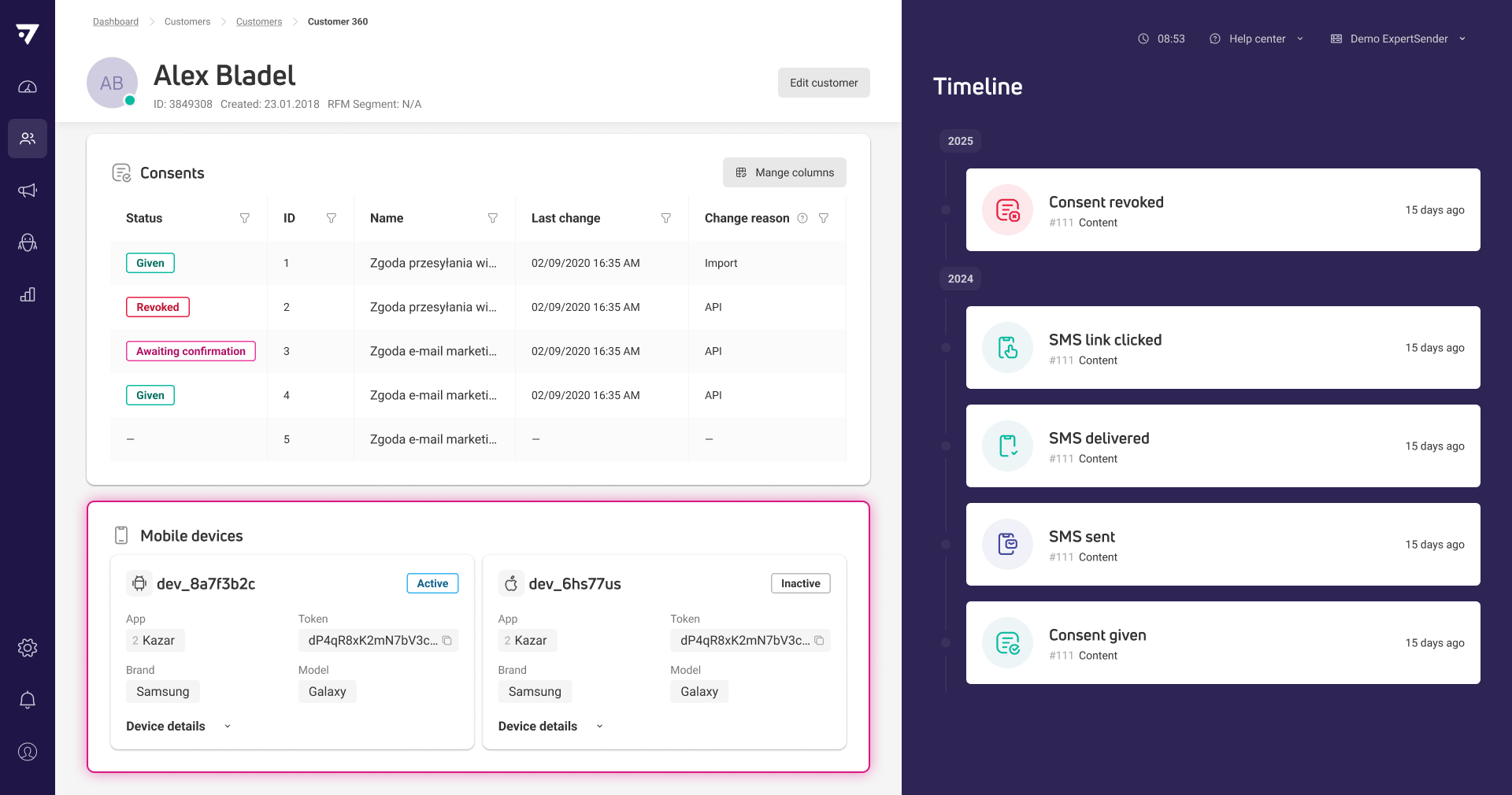
Mobile devices section in Customer 360 shows more details
The Devices section in Customer 360 now displays clearer information for each mobile app, including device creation and deactivation dates, as well as the reason for deactivation. This helps you track device status and understand why a device was deactivated.
Fixed
Error shown when no products are selected in product block
The system now displays an error if you try to activate content with a product block that has no products selected.
July
2 New3 Updated
20-07-2026
New
Product catalogs can be shared across websites and mobile apps
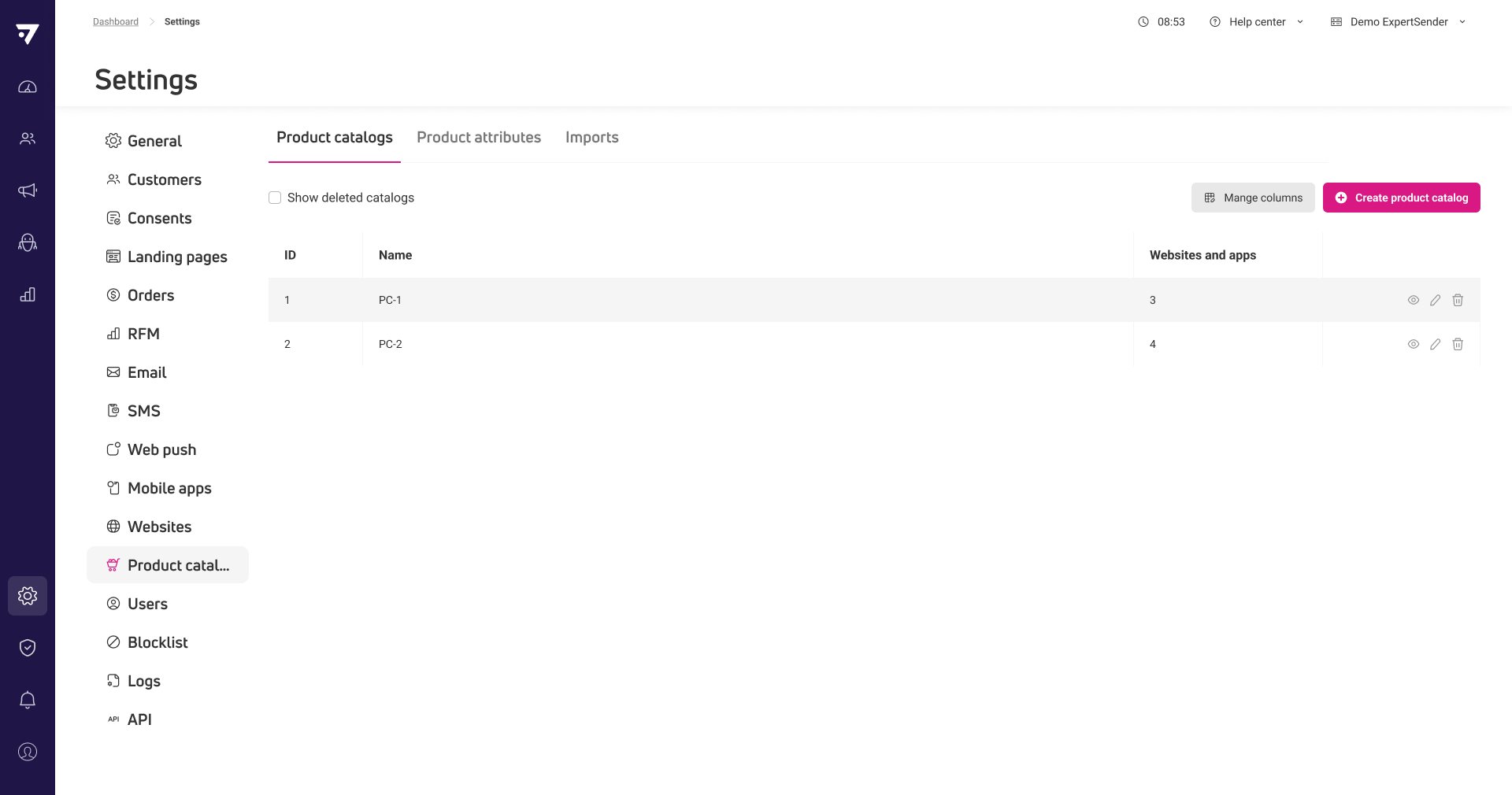
You can now manage product catalogs as independent entities and connect a single catalog to multiple websites or mobile apps. This means you no longer need to maintain duplicate catalogs for sources in the same language, reducing manual work and keeping product data consistent. The Product catalogs section is available in Settings, where you can view, create, edit, and connect catalogs to your digital properties.
Updated
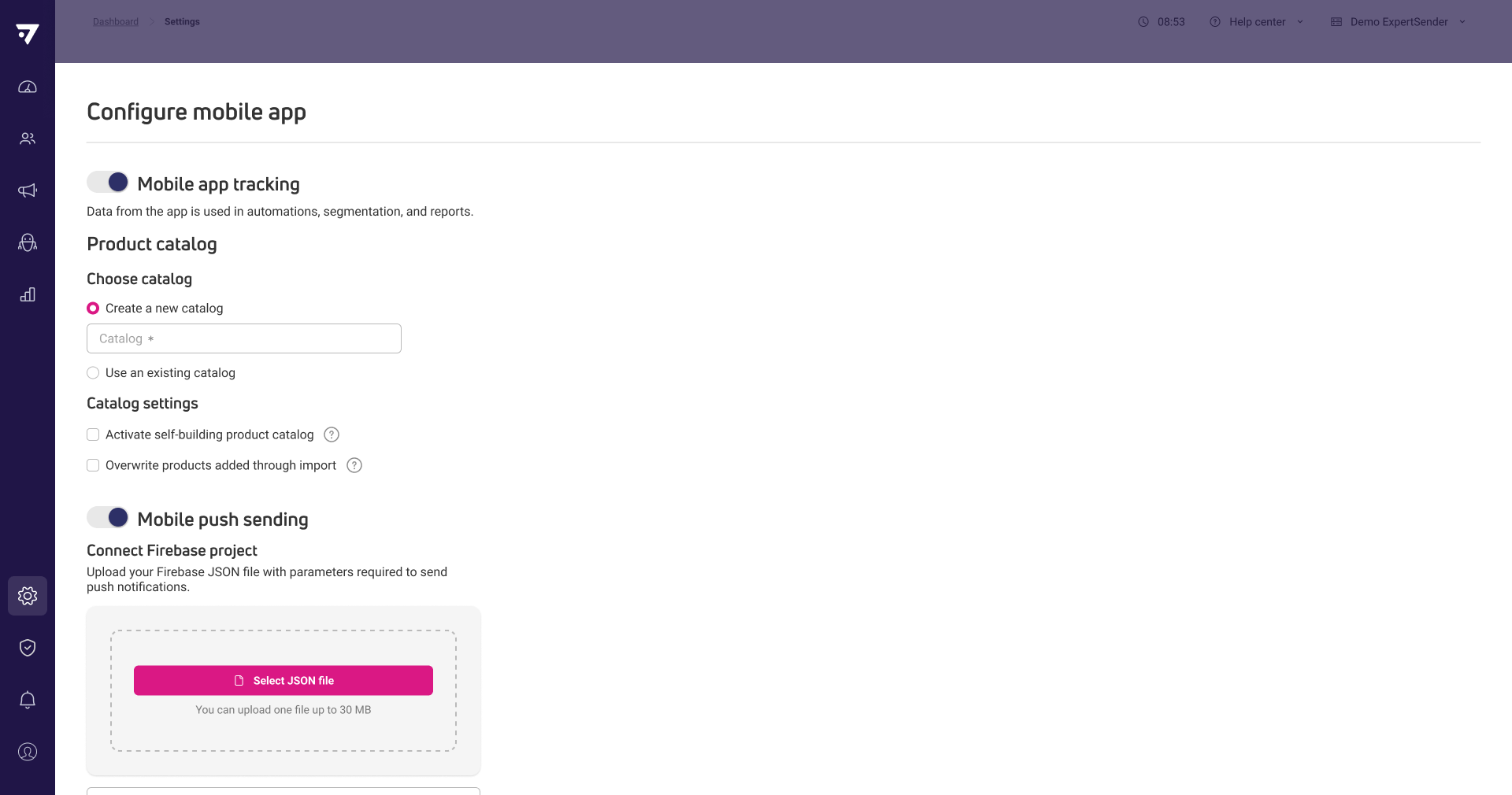
Mobile app management and push configuration are now separated
Now you can manage mobile app tracking and push notification setup independently, making it possible to activate or deactivate each capability as needed. This change lets you onboard apps for behavioral tracking even if push notifications are not yet configured.
Updated
Mobile device registration supports tracking without push tokens
The system now allows registering mobile devices for tracking even if a push token is not provided, so you can collect behavioral data before users opt in to push notifications.
10-07-2026
New
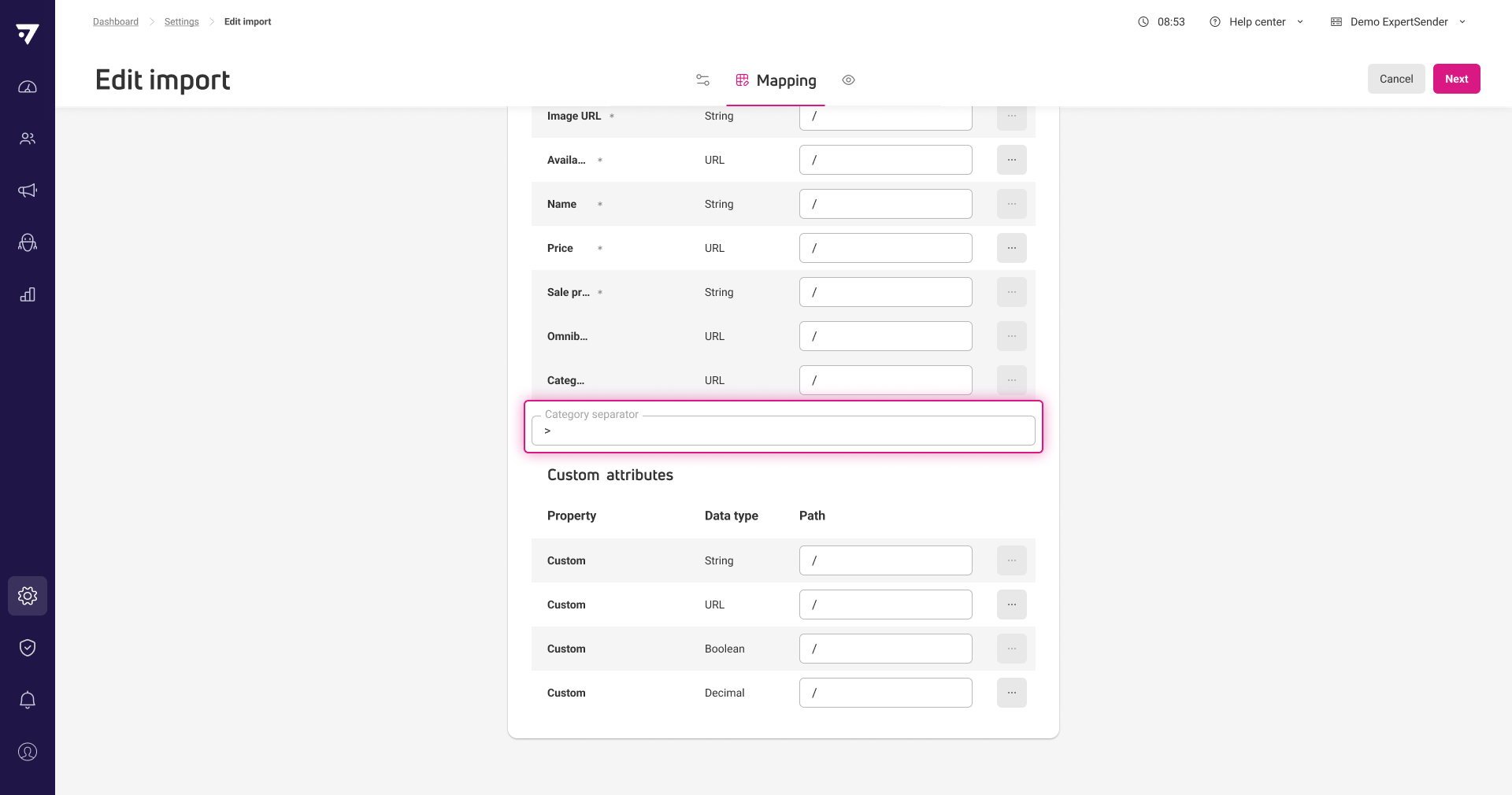
Custom category separator for product feed imports
Now you can define a custom category separator when importing product feeds from CSV or XML files, so categories are recognized and stored correctly for segmentation and product browsing.
Updated
Web push events visible in Customer 360 timeline
You can now see web push sent, viewed, and clicked events directly in the Customer 360 timeline, giving you a clearer picture of each customer’s engagement with your web push campaigns.
June
5 New1 Updated
22-06-2026
New
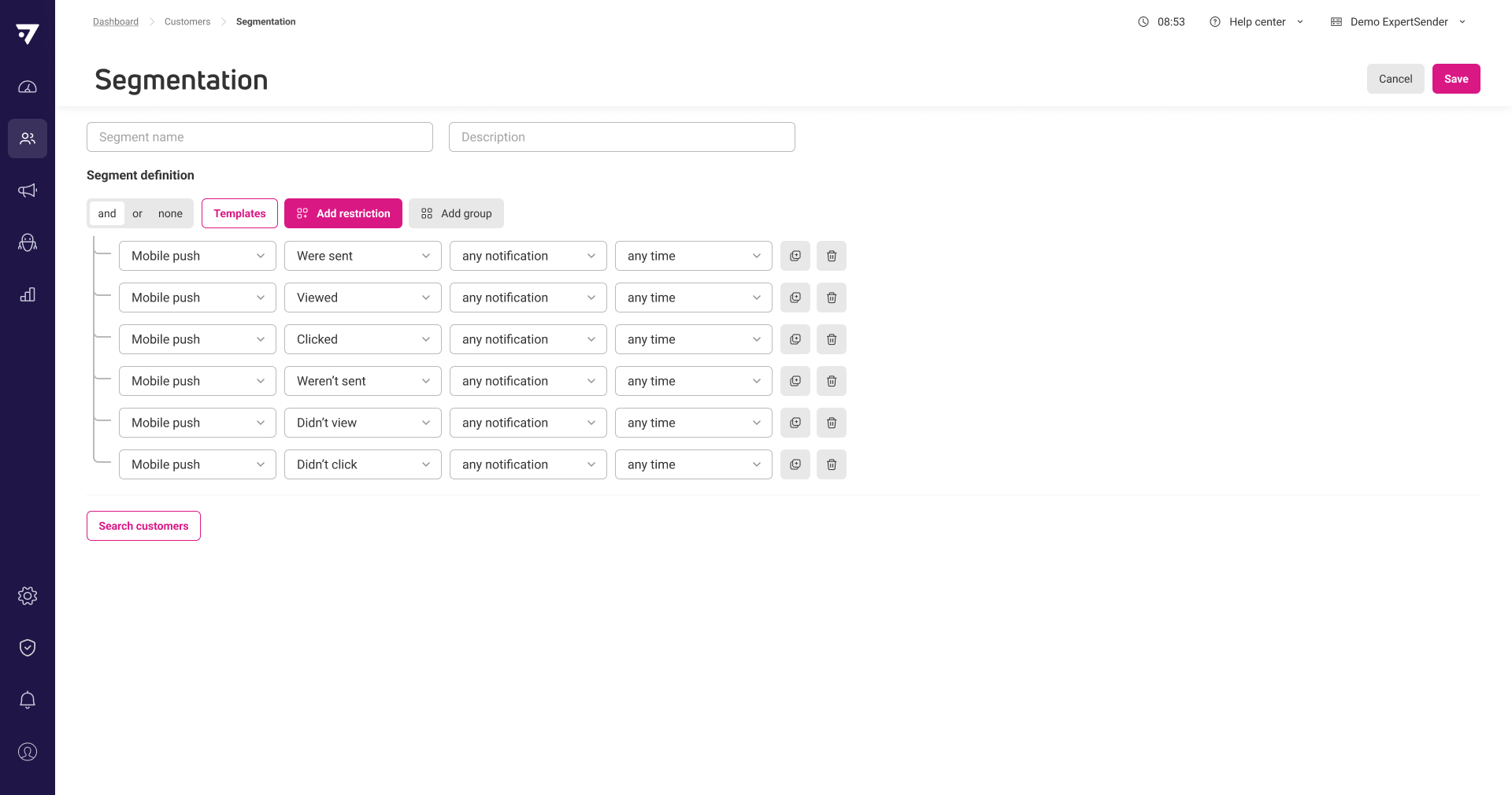
Mobile push restrictions added to segmentation
Segments now include a Mobile push restriction group, letting you target customers based on whether they were sent, viewed, or clicked mobile push notifications. This mirrors the options available for web push segmentation.
New
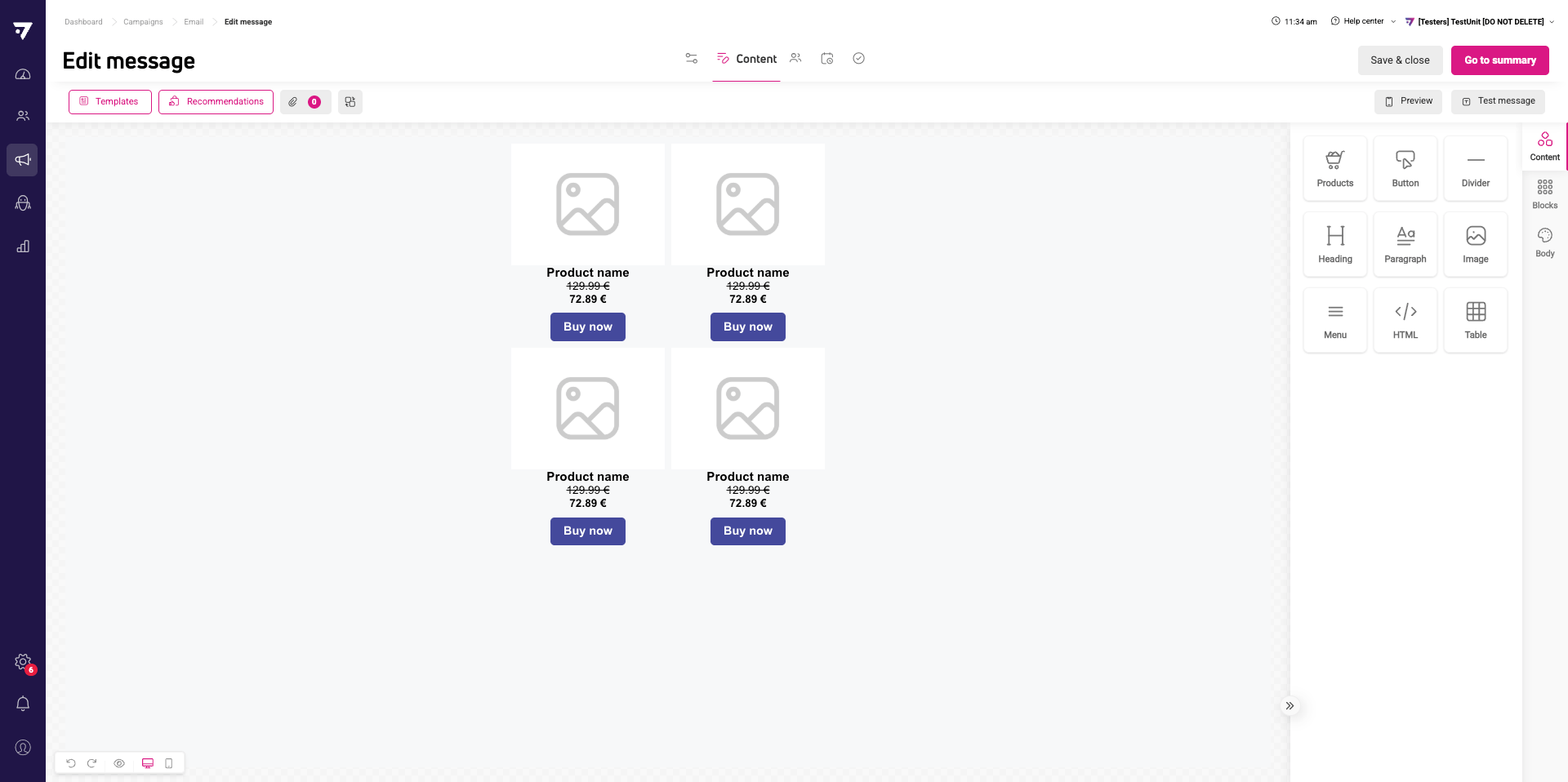
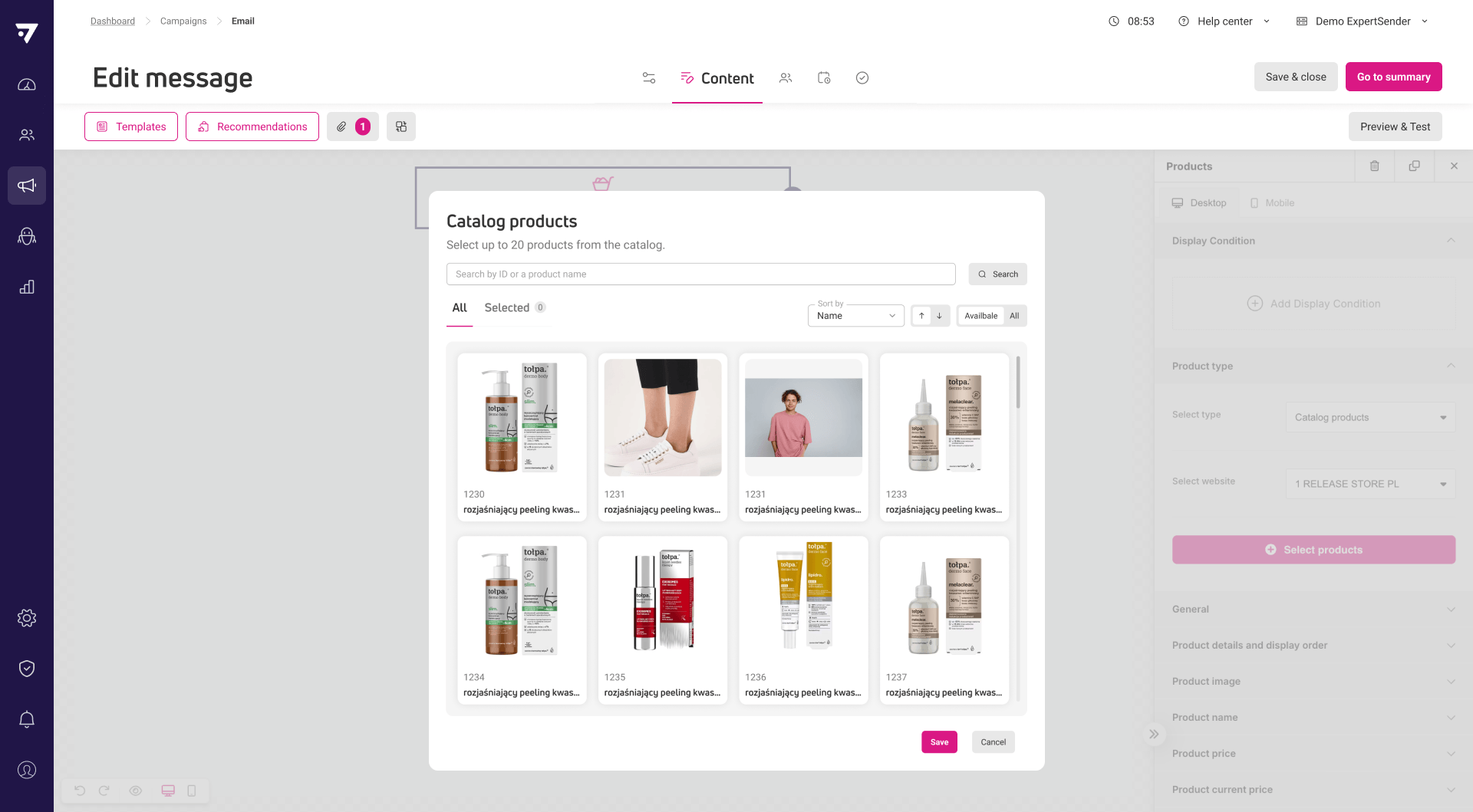
Select and place specific products from catalog in email content
The drag-and-drop editor has a new feature – the option to insert products from the catalog directly into the content you’re creating using the “Products” block.
You can add up to 20 selected items from your catalog. Additional options, such as searching, filtering by availability, sorting, or reordering the displayed products, will help you quickly select items and present them properly in your content.
This feature is available in emails (newsletters, A/B tests, scenarios), pop-ups, and banners.
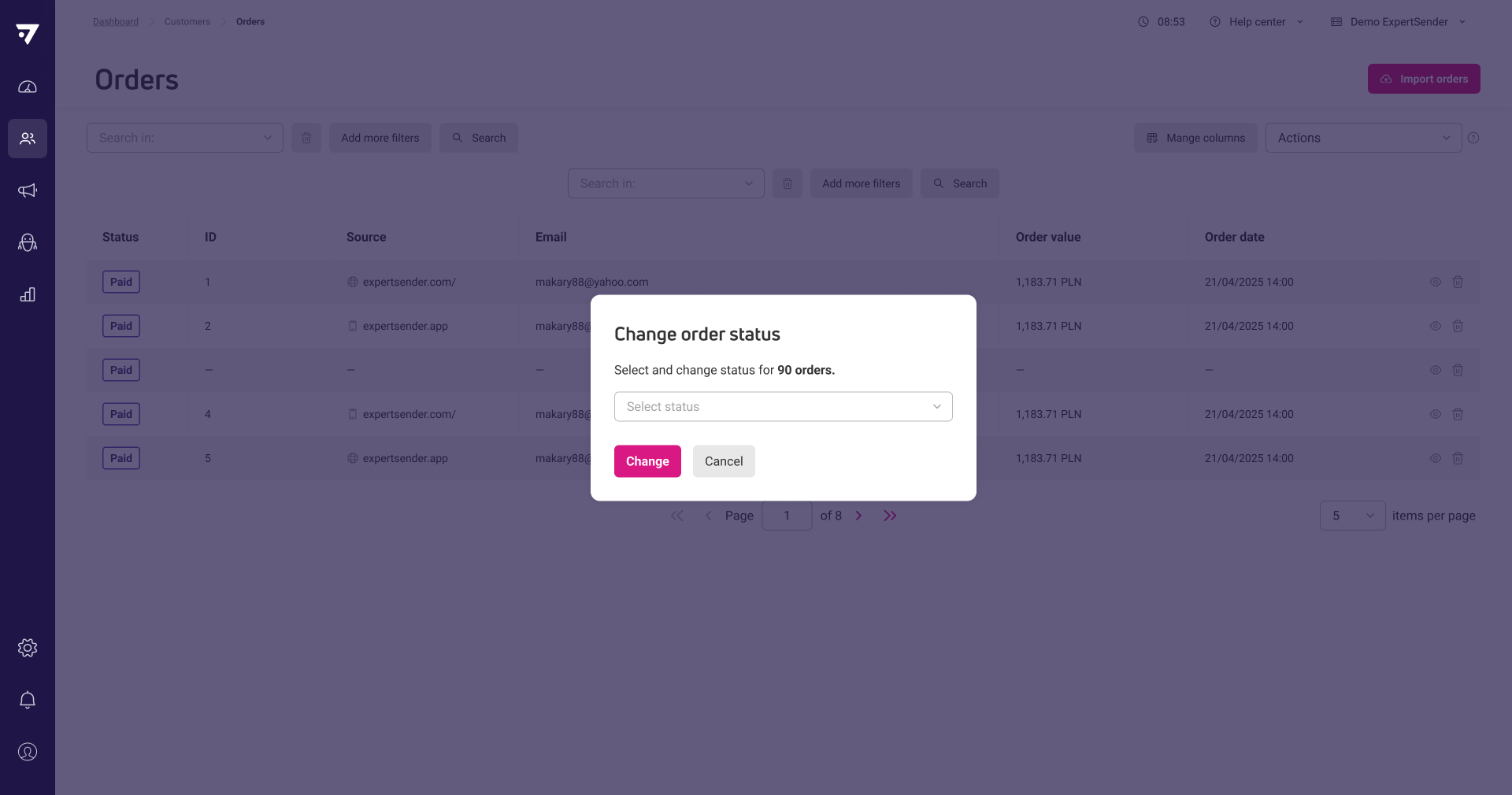
Now you can delete multiple orders or change their status in bulk based on your current search or filter. This helps you manage large sets of orders more efficiently.
New
Mobile app event tracking API endpoints available for initial integration
New mobile event API endpoints now accept in-app events such as product views, add to cart, purchases, wishlist actions, and screen views. Both batch and single-event methods are supported. At this stage, events can be sent and stored, but are not yet processed or used for segmentation or automation.
New
Automatic product data sync with Recombee for recommendations
The system now automatically sends new, updated, or deleted product data, including custom attributes, to Recombee for main websites. This ensures product recommendations always use current catalog information and prevents unavailable products from being recommended.
Updated
Customer selection in live preview is remembered
Previews now keep your selected customer for personalization until you reload the page, so you do not have to reselect each time you open the preview.
May
5 New5 Updated1 Fixed
28-05-2026
New
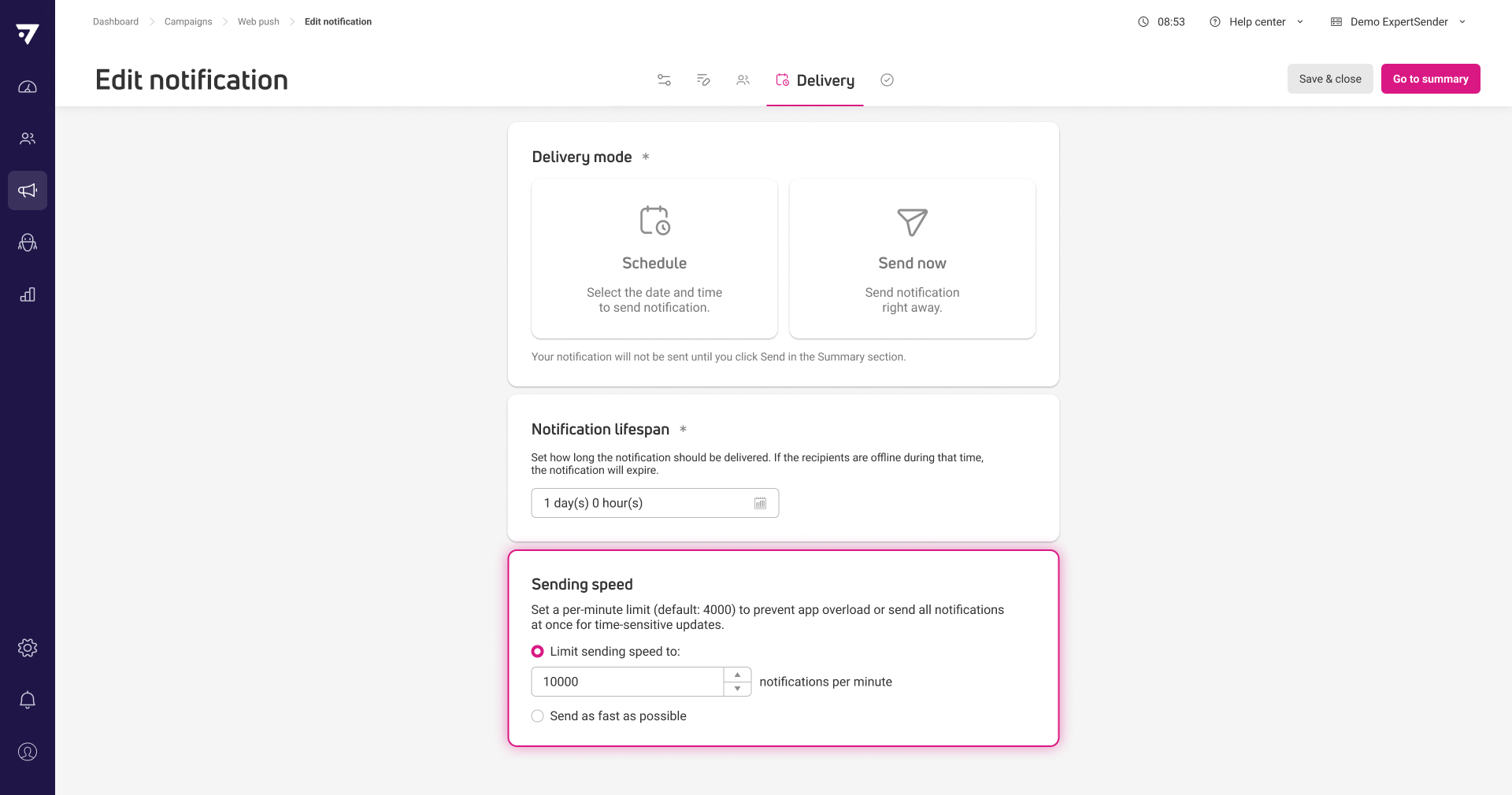
Control web push newsletter sending speed
Now you can set a sending speed limit for web push newsletters or choose to send as fast as possible. This helps manage server load during large campaigns.
New
Select specific products from catalog for email content
In HTML editor, you can now choose specific products from your product catalog and insert them directly into email messages using the GetProduct method. If a selected product is missing from the catalog at send time, the email will use the last available data of this product so your design stays consistent.
This feature currently works via dynamic content; a drag & drop option will be available in a future update.
New
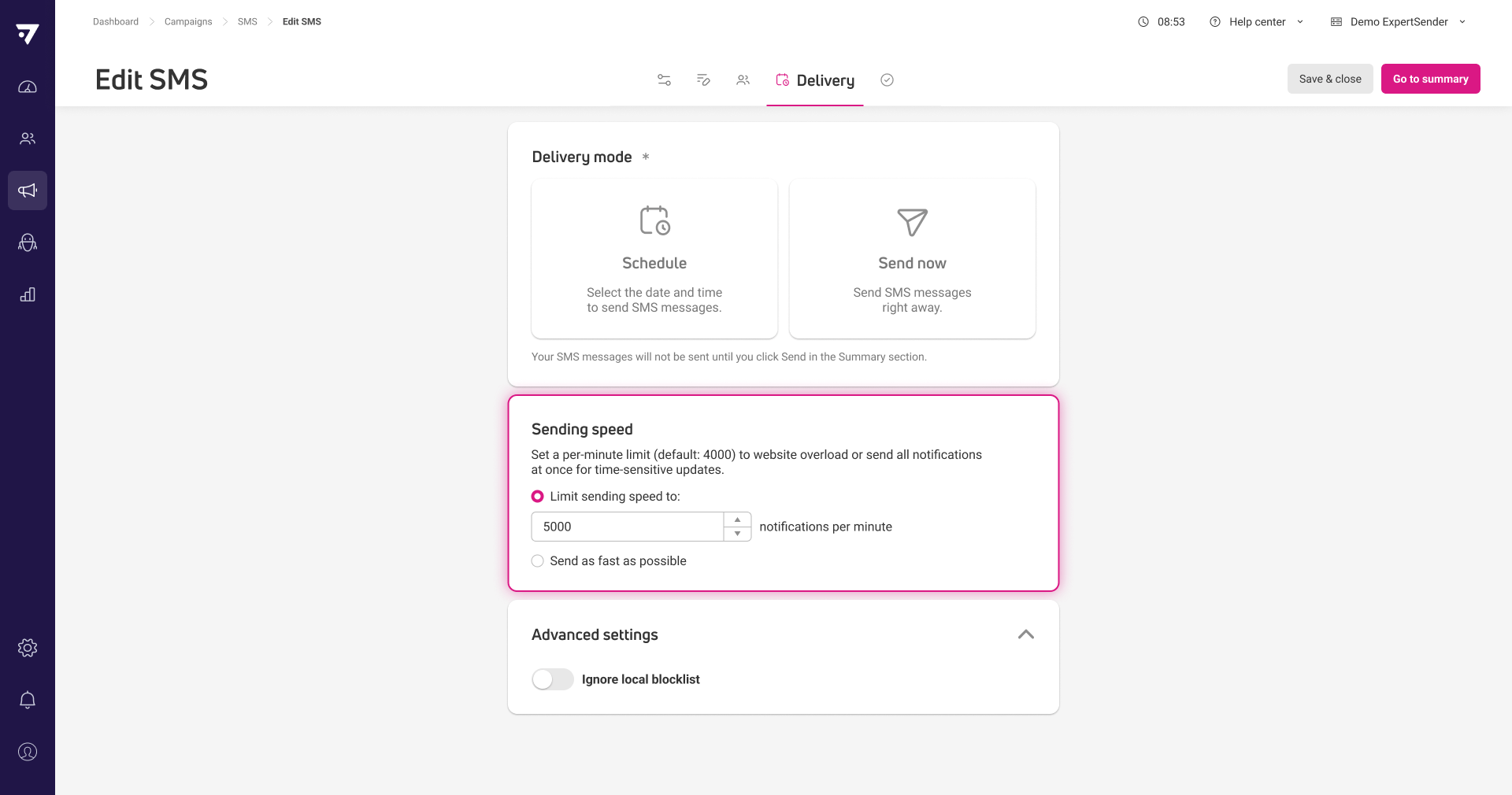
Set SMS newsletter sending speed limit
You can now limit the sending speed for SMS newsletters or send them as fast as possible, giving you more control over delivery rates.
Updated
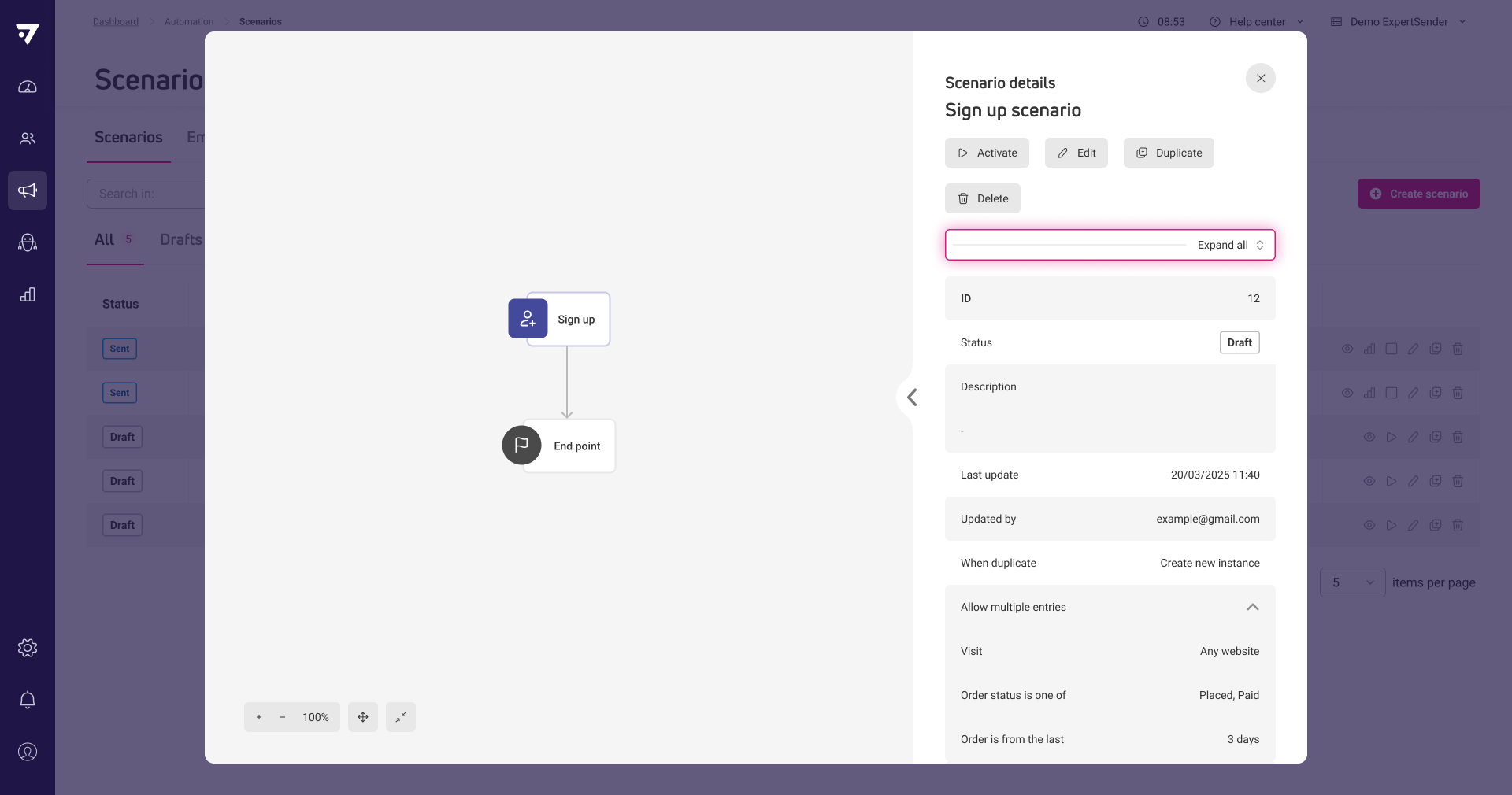
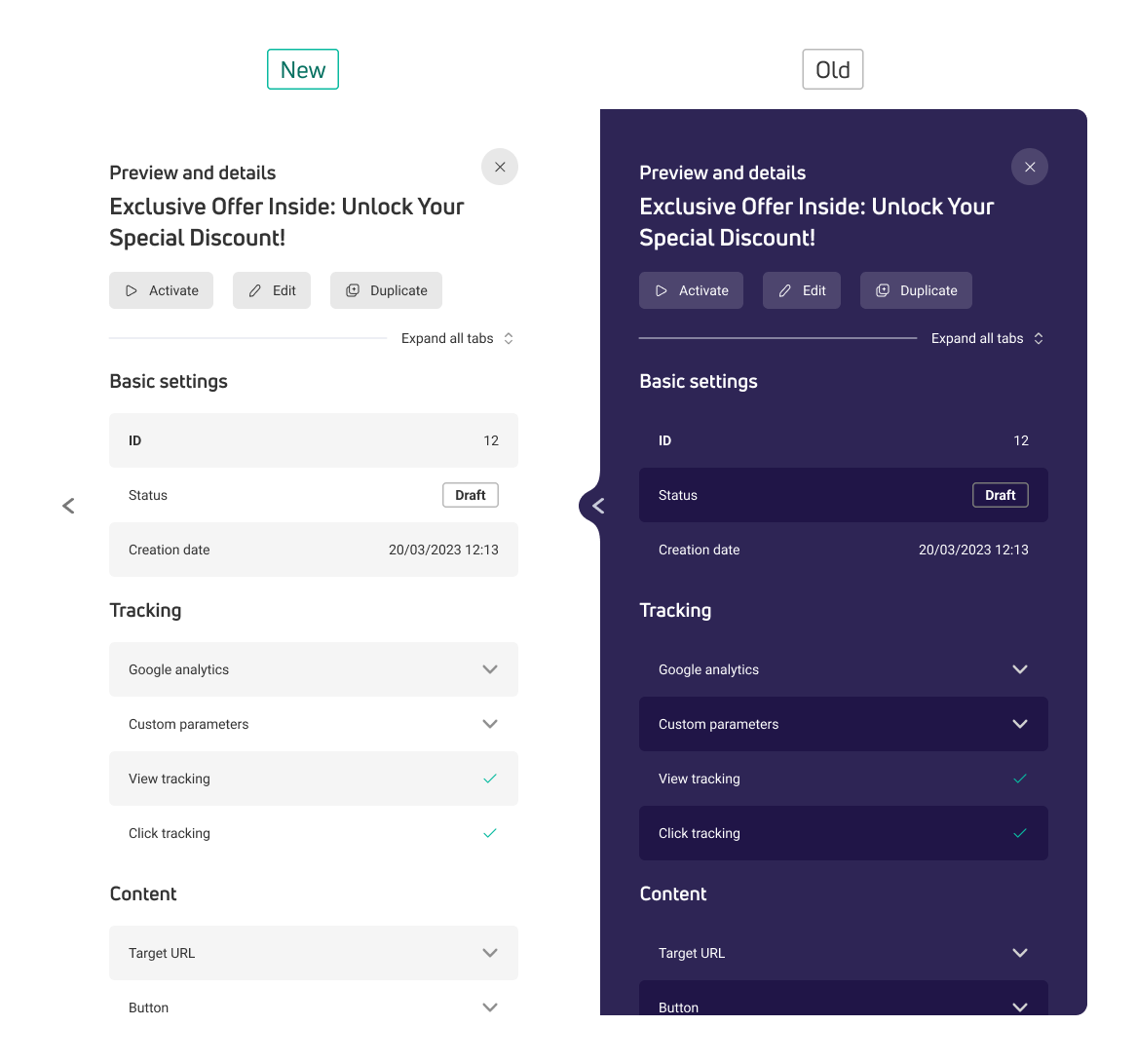
Expand or collapse all sections in preview and details views
You can now expand or collapse all sections at once in preview and details views for all contents and scenarios, making it faster to review large amounts of information.
Updated
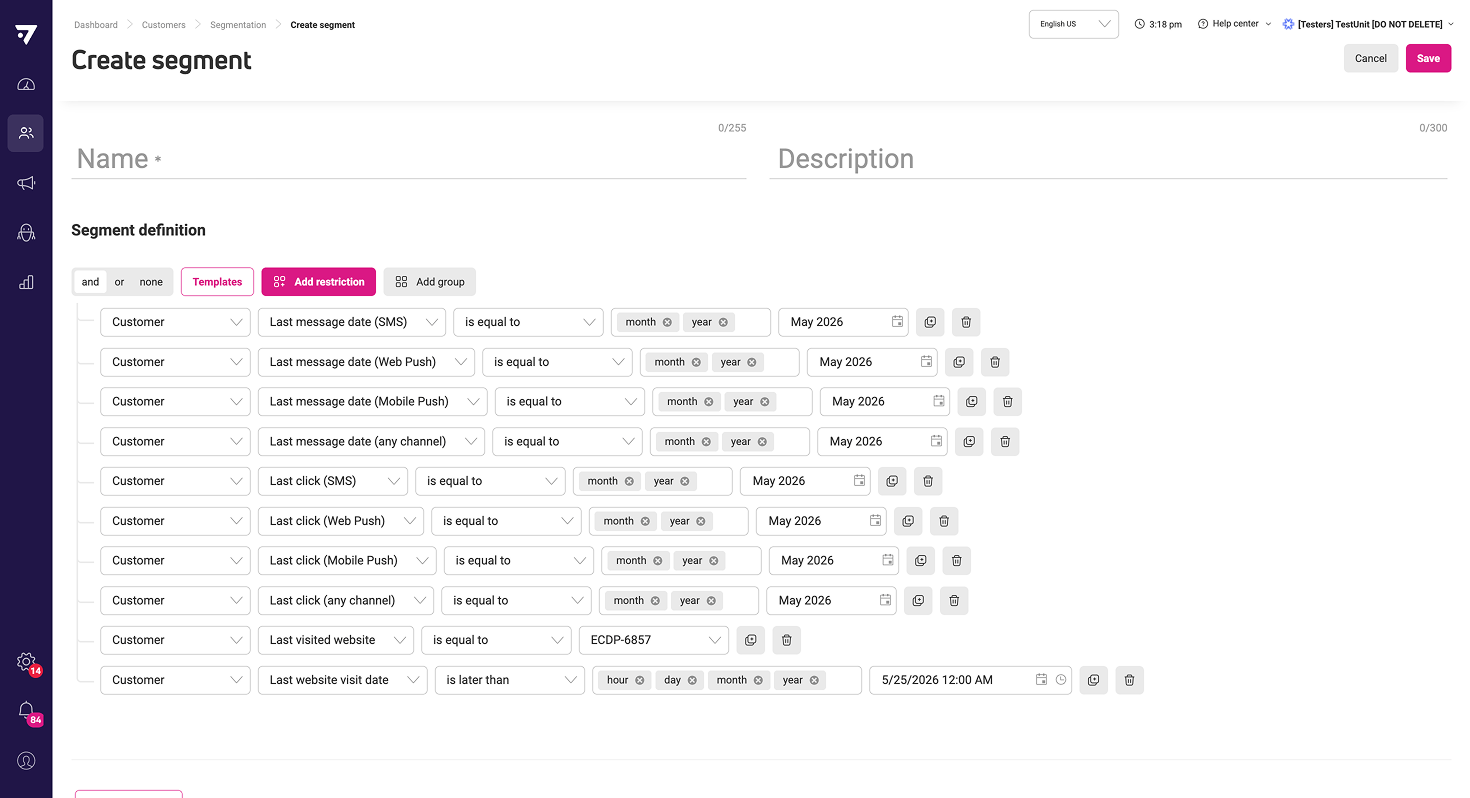
Additional system-calculated customer activity fields available for segmentation
Segments now include new system-calculated fields such as last message date and last click across SMS, web push, and mobile push channels, as well as website visits. This lets you target customers based on their recent activity across multiple channels.
Updated
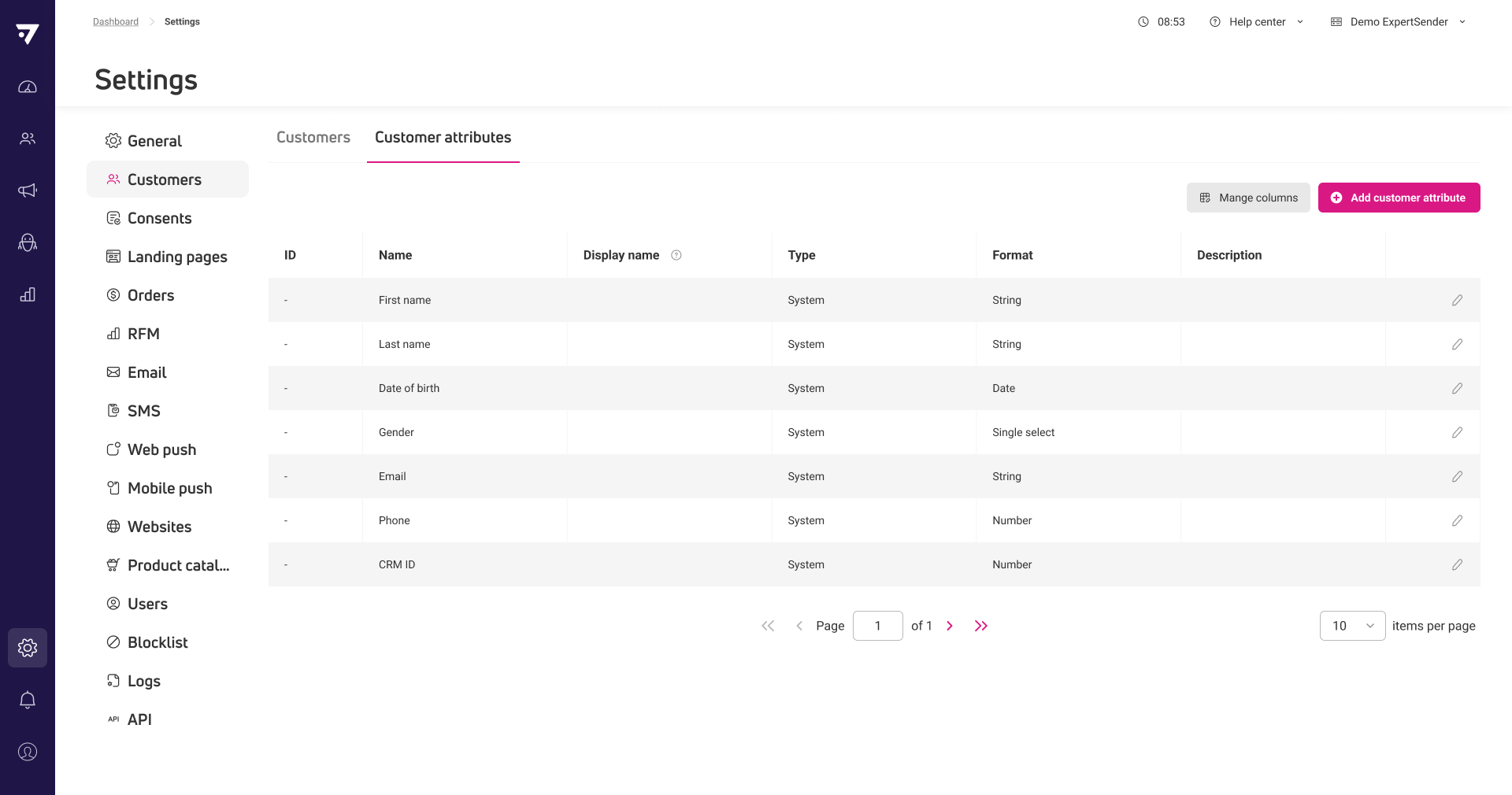
All system attributes now displayed in attribute sections
All system attributes are now shown in the attribute sections settings for customer, order, and product. This lets you see the data type for each field alongside custom attributes.
05-05-2026
New
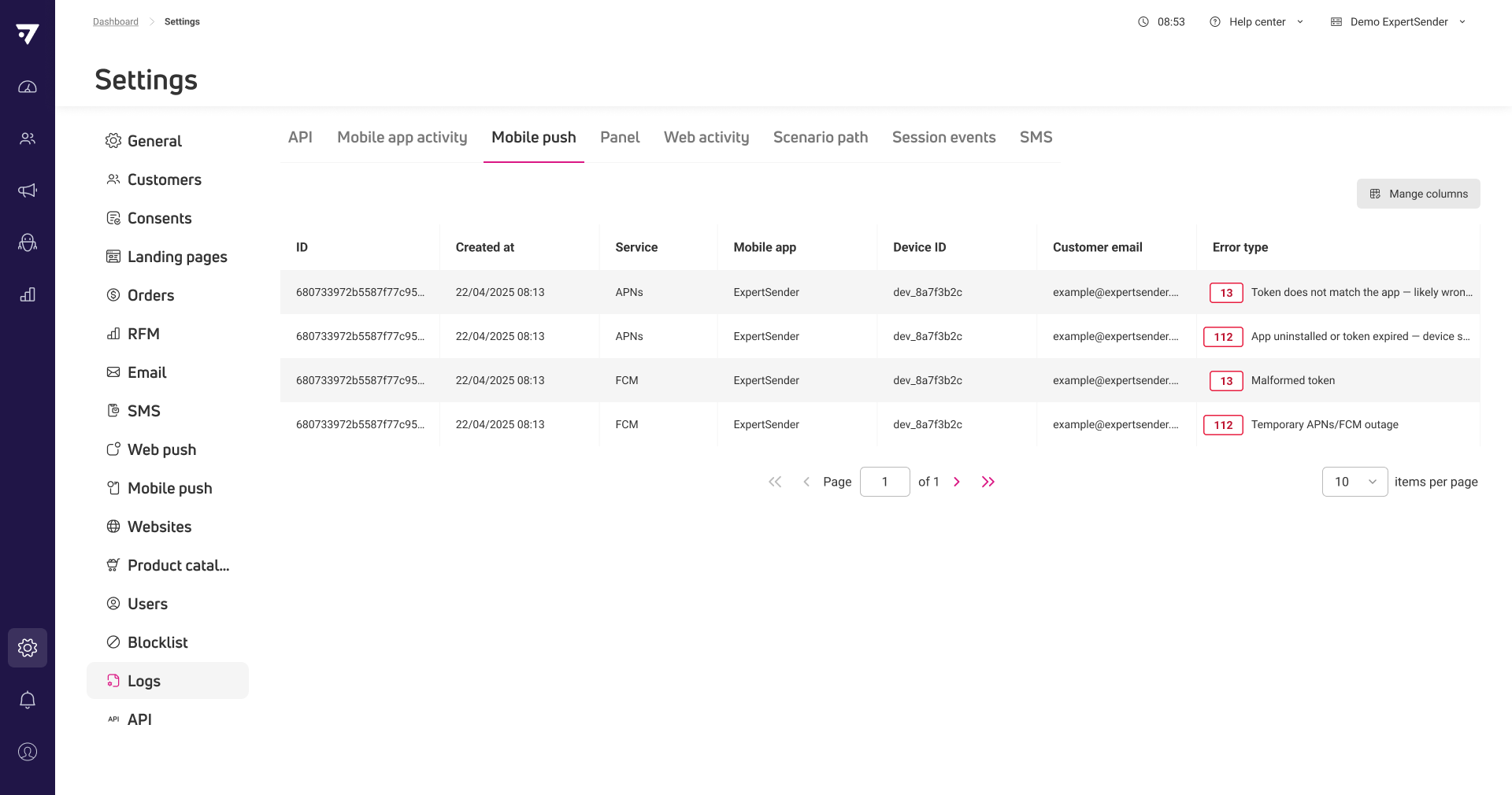
Mobile push delivery error logs added to Settings
A new tab in Settings lets you review failed mobile push notification deliveries, including error details for both iOS and Android devices.
New
Web tracking restrictions available in segmentation
Segments now include web tracking restrictions, so you can target customers based on their website activity such as page views, session counts, and specific actions like visiting product, cart, or wishlist pages.
Using the “Web tracking” filter helps identify users who are close to making a purchase, reduce accidental targeting, and gives you better control over who enters a segment and why.
Updated
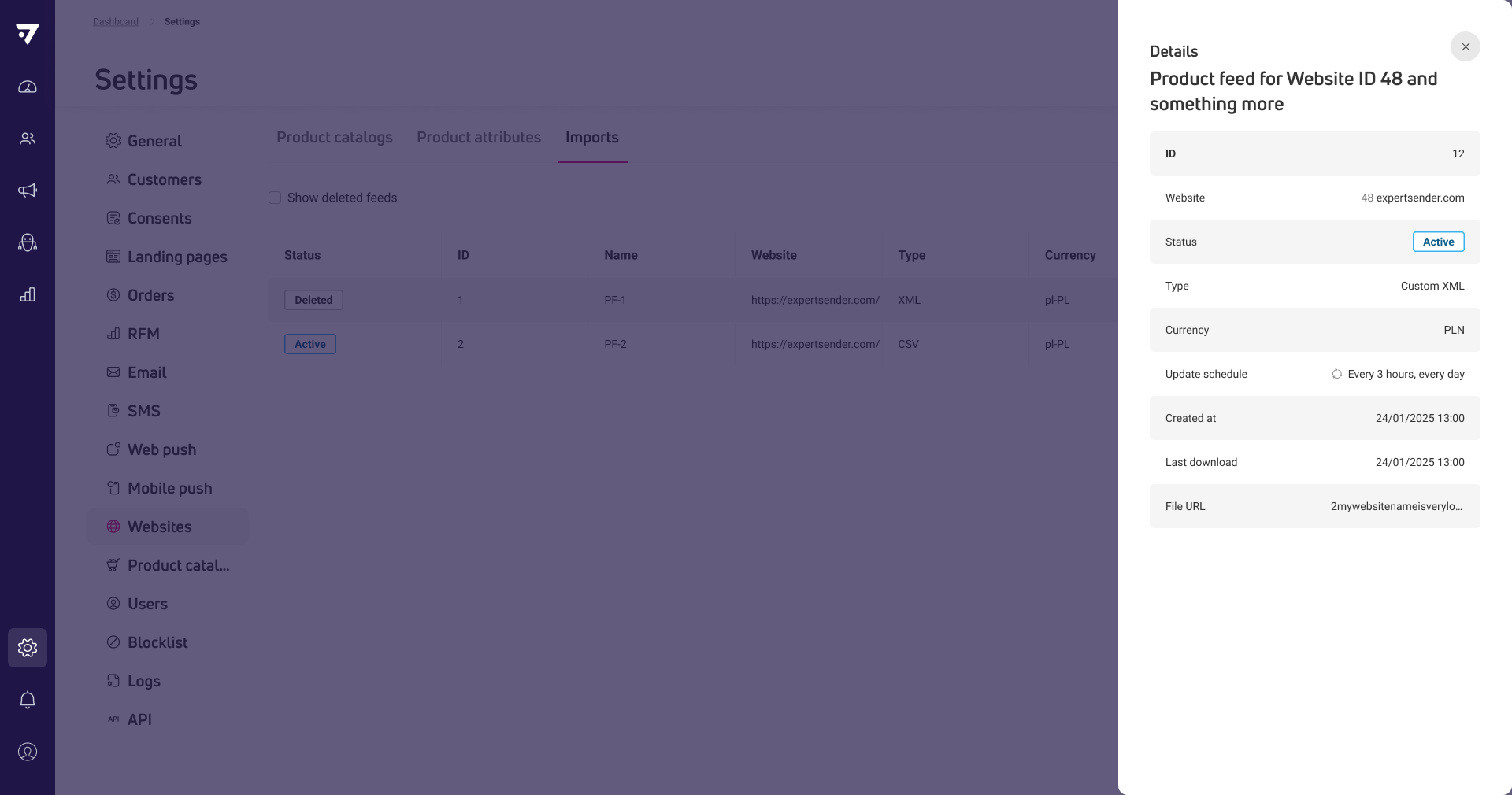
Read-only view for product feed details
You can now review all settings and status of a scheduled product feed import without editing or disabling it. The preview option is available directly in the table, making it easier to monitor schedules and configurations.
Updated
Switch from dark to light mode: a clearer, more consistent interface
ECDP now uses only light mode across all panels and views, providing a consistent look across the tool. This visual update also improves contrast between elements and fonts. As a result, data is clearer and easier to read.
Fixed
Banner scripts now execute after HTML is loaded
Scripts now run after the banner’s HTML is inserted, so they can interact with all banner elements as expected.
April
3 New10 Updated3 Fixed
29-04-2026
Updated
WooCommerce plugin update – e-commerce tracking via dataLayer
The new version of the WooCommerce plugin adds e-commerce tracking via the dataLayer. This feature enables recording of view_item, add_to_cart, remove_from_cart, view_cart, and purchase events in window.dataLayer and window._ecdp. The data is compatible with the GA4 standard and ready for use with Google Tag Manager or direct integration. The update requires manual installation of the new plugin version. For details, see the GitHub repository.
20-04-2026
New
Mobile devices section in Customer 360
Customer 360 now includes a detailed Mobile devices section showing each device’s platform, status, app, and technical details for every customer. This helps you understand mobile engagement and troubleshoot app-related issues.
New
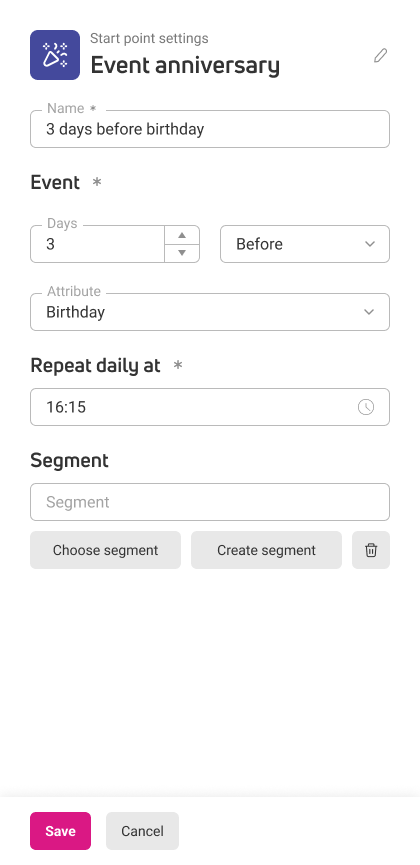
New scenario trigger for anniversaries on any date or datetime attribute
A new scenario trigger lets you start a scenario on the anniversary of any date or datetime attribute, such as a birthday. You can choose to run the scenario a set number of days before, after, or exactly on the anniversary date.
Updated
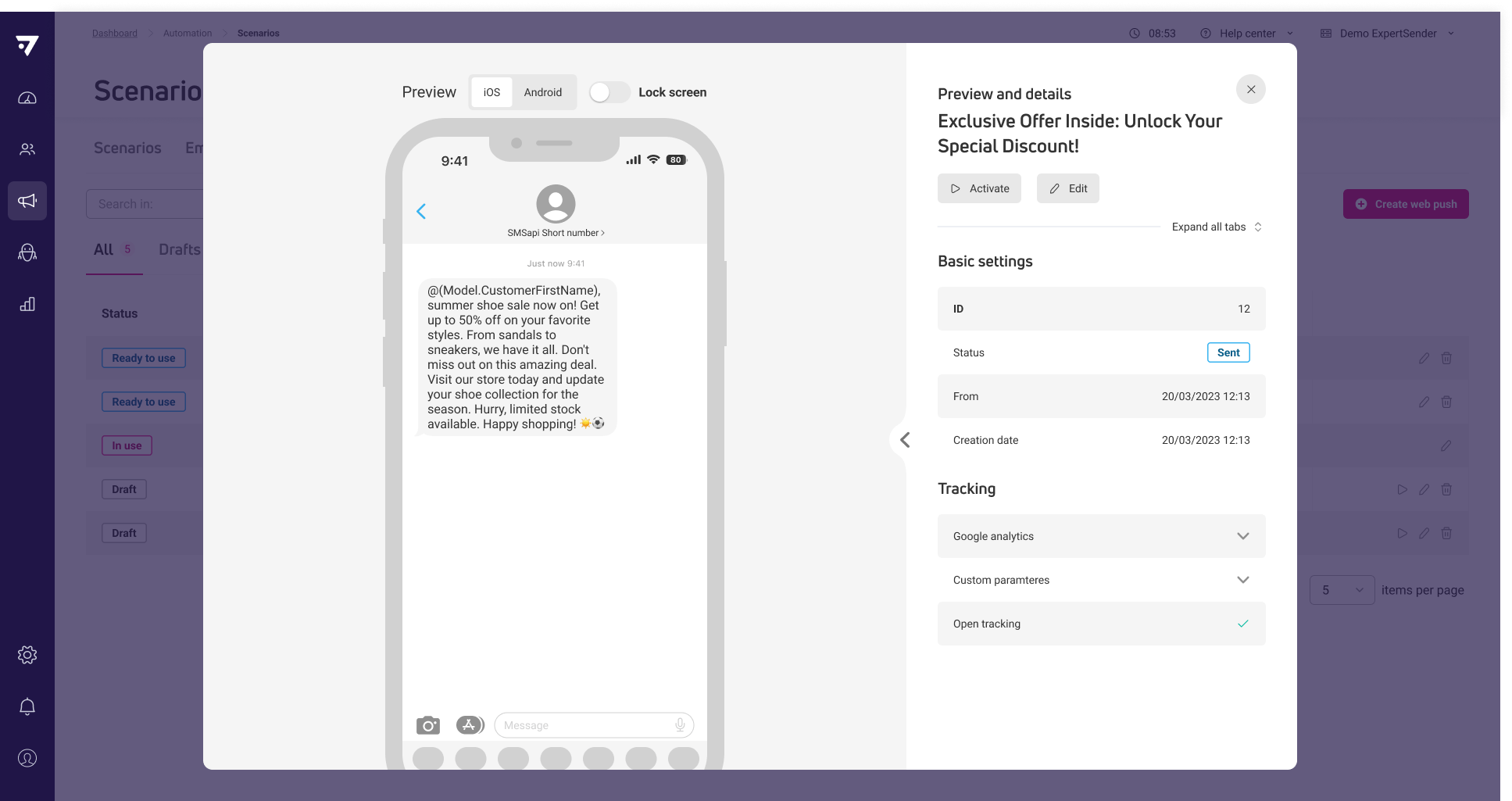
SMS content preview and details in scenarios
You can now view SMS content details and duplicate messages directly from the scenario editor, making it faster to check or reuse SMS content while building scenarios.
Updated
Clear error notification when saving incomplete segments
Segments now display a top error notification explaining which restrictions need to be filled in before saving.
Updated
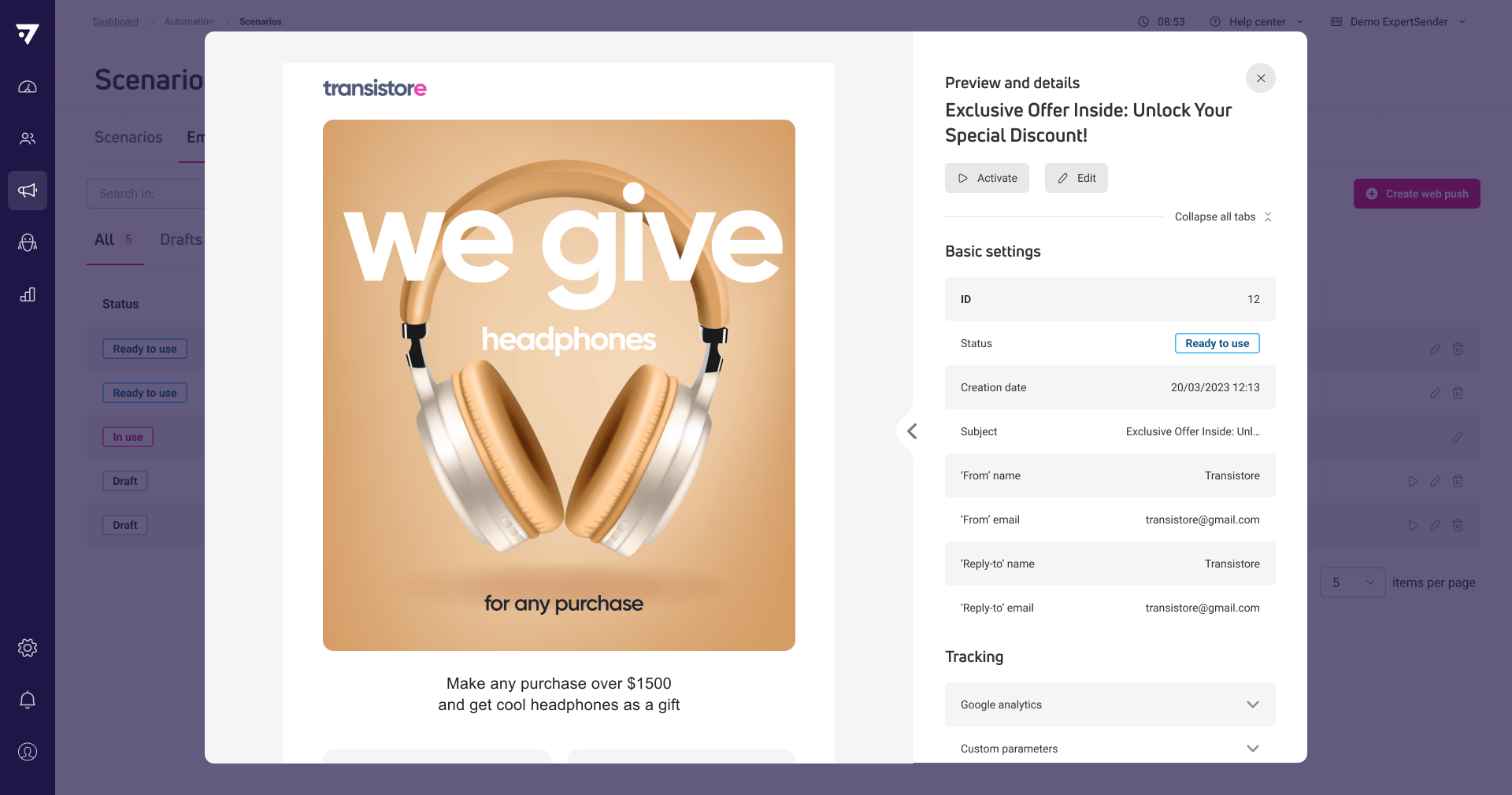
Email content preview and details in scenarios
The system now lets you access email content details and duplicate messages directly from scenario grids, so you can review or reuse email content without extra navigation.
Updated
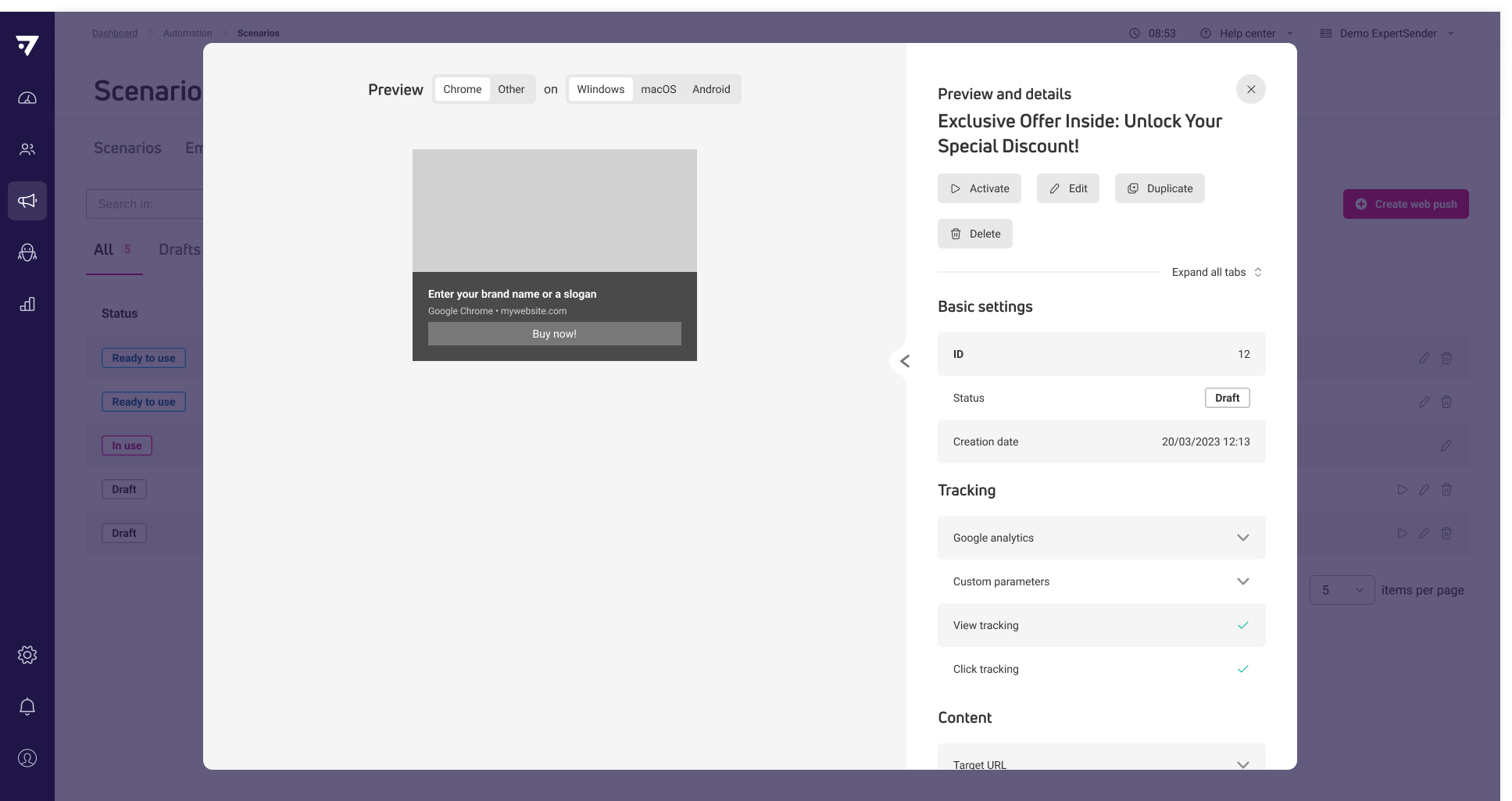
Web push content preview and details in scenarios
Now you can preview web push content details and take actions like duplicating messages directly within scenarios, without leaving the scenario editor. This reduces steps when reviewing or reusing web push content.
Fixed
Service worker registration requires HTTPS protocol
Registering a service worker for Web Push now requires using the HTTPS protocol.
Fixed
Restoring scenario messages works correctly
Restoring a deleted scenario message with status Used no longer causes an error.
Fixed
Charts only show data point markers on hover
Charts now display data point markers only when you hover over them, improving readability for all date ranges.
15-04-2026
Updated
Shopify Plugin Update
We’ve released an update to the Shopify plugin that adds new customer fields available for mapping in ECDP, including default address, order count, and more. This release also fixes an issue with the select_item event not firing correctly on some stores. The update is applied automatically — no action required. For details on available fields, see the documentation.
07-04-2026
New
Two-factor authentication for user accounts
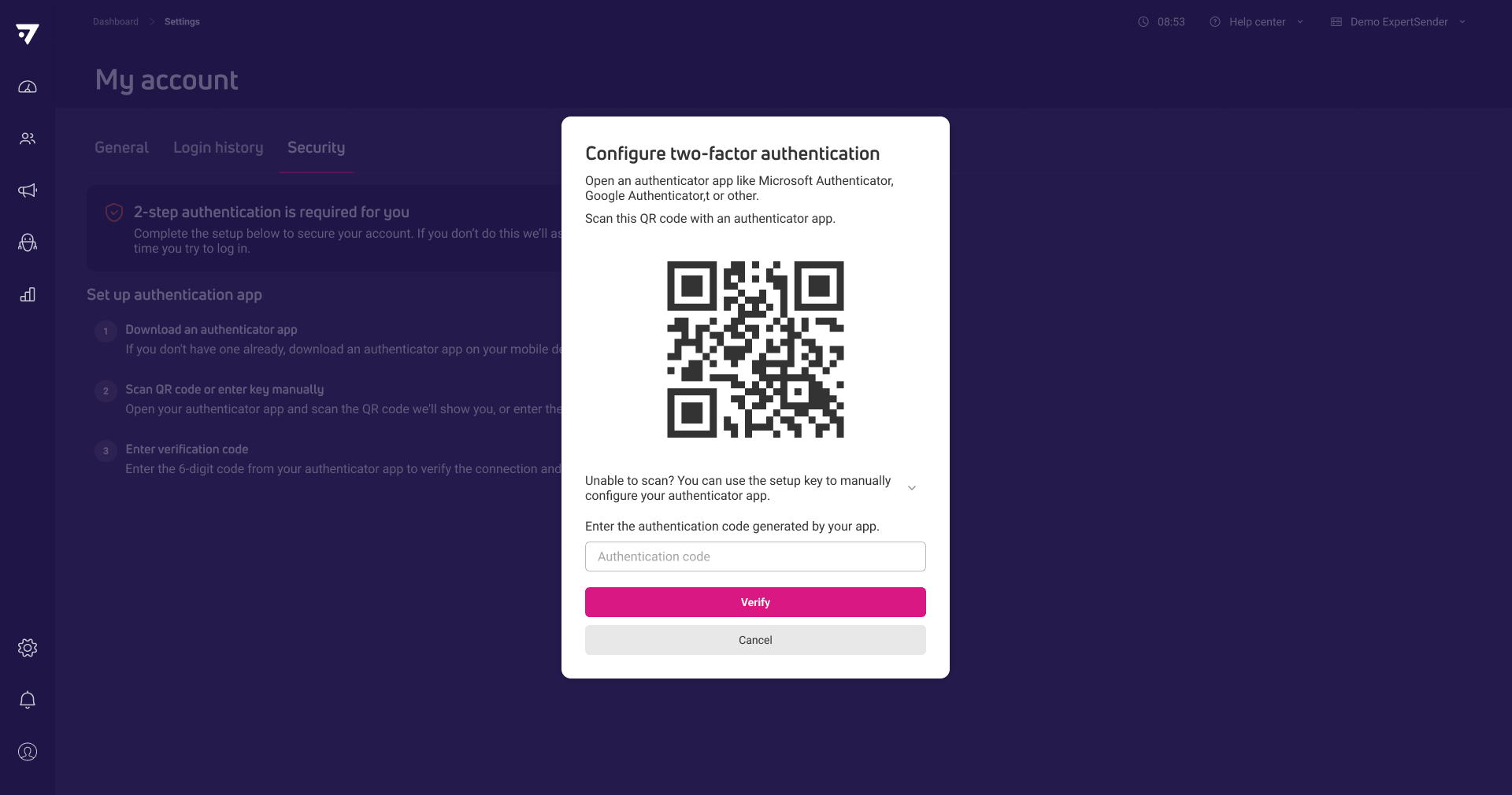
You can now enable two-factor authentication (2FA) for your account using an authentication app, adding an extra layer of security at login. Administrators can require specific users to set up 2FA, and manage enforcement directly in user settings. Users receive recovery codes during setup and can manage or regenerate them if needed. This feature helps protect sensitive data by reducing the risk of unauthorized access.
Updated
Unified button options in product and form tools
Button settings are now consistent across both product and form tools, so you can apply the same formatting options in each context.
Updated
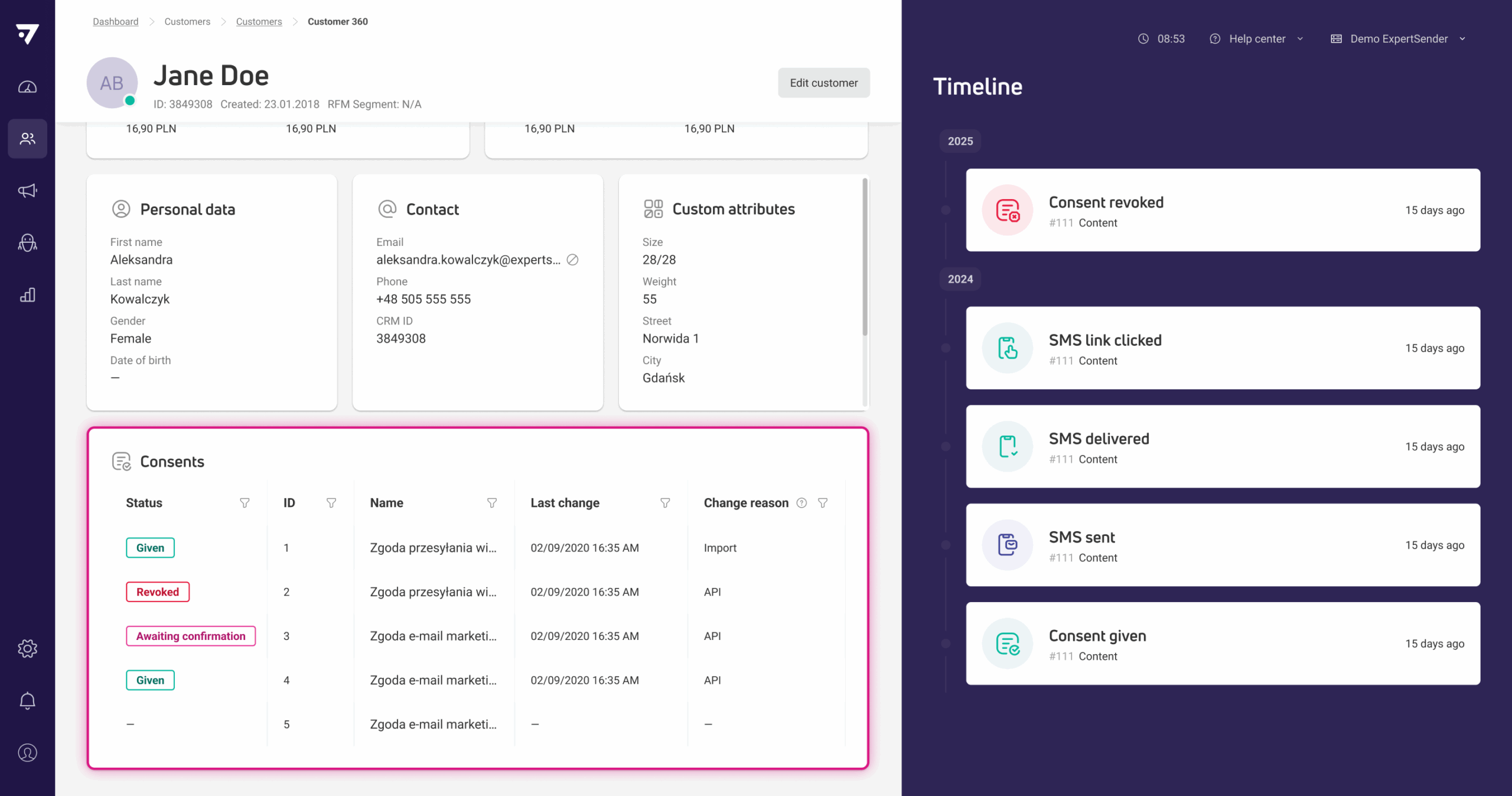
Customer 360 consents view shows change source and details
In Customer 360, the consents section now displays each consent’s status, last change date, and the source or reason for the change in a sortable grid. This lets you quickly see how and when each consent was updated.
Updated
Custom event triggers by device ID in scenarios
Now you can trigger scenario custom events using a customer’s device ID, making it possible to initiate actions based on mobile app activity.
Updated
Consents export shows False for not given consents
The system now exports ‘False’ for consents that have not been given, instead of leaving these fields empty in customer export files.
March
4 New1 Updated1 Fixed
16-03-2026
New
Mobile app push notifications
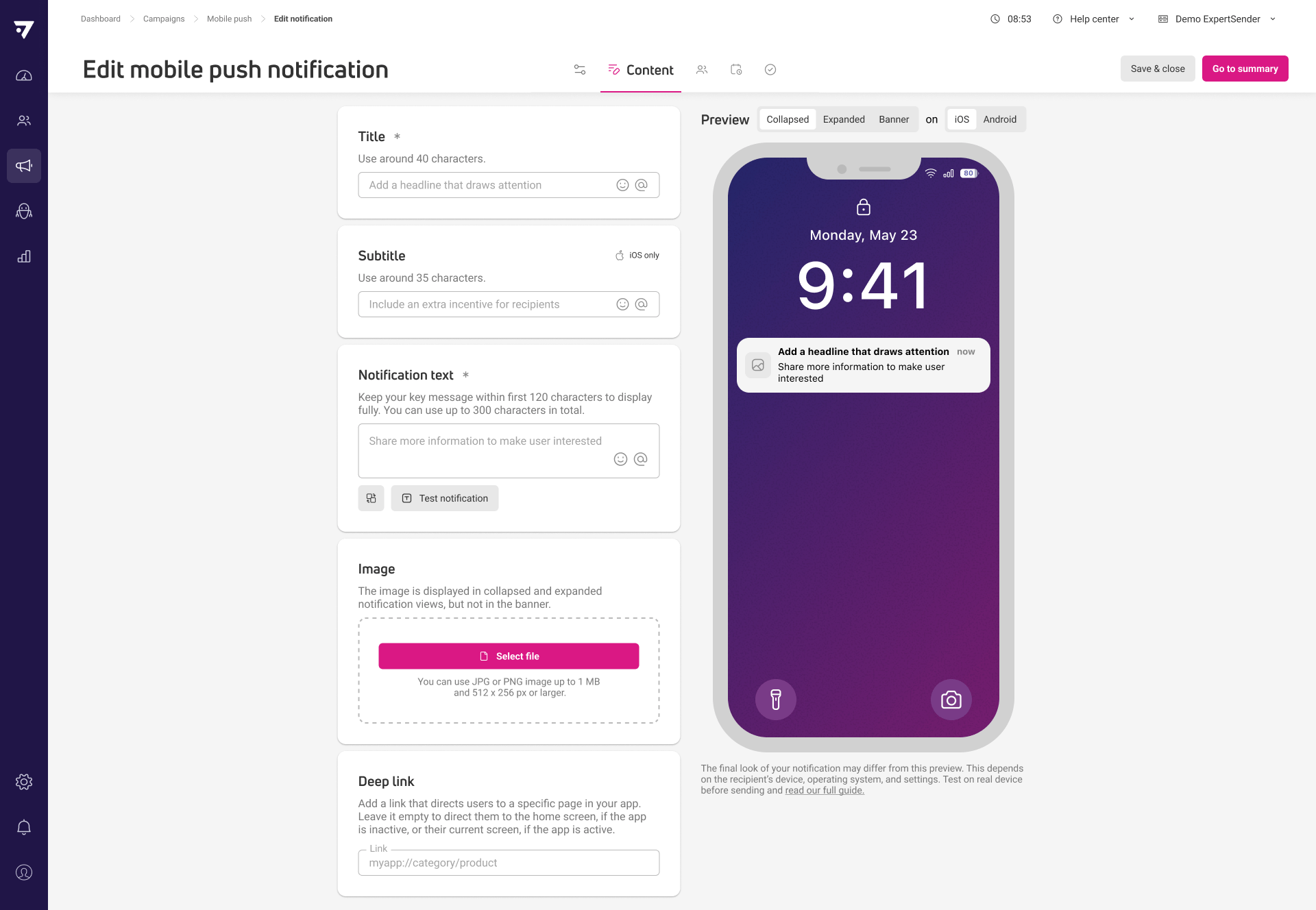
Bridge the gap between your web and mobile experiences by sending mobile push notifications directly from ECDP. Use them in newsletter campaigns or trigger them automatically within scenarios to reach customers at the right moment.
Mobile push data and device properties are available for segmentation. This allows you to target specific groups of users, such as those who have made a purchase within the app. You can also highlight products they have bought, engage users who are actively both on the web and in the app, or focus on high-value customers.
All interactions with your notifications, including clicks, are tracked via API. This gives you clear insight into engagement and helps you measure how mobile push messages perform alongside your other channels.
Next, we will implement user behavior tracking within the app, trigger automations based on in-app events, and support in-app content.
New
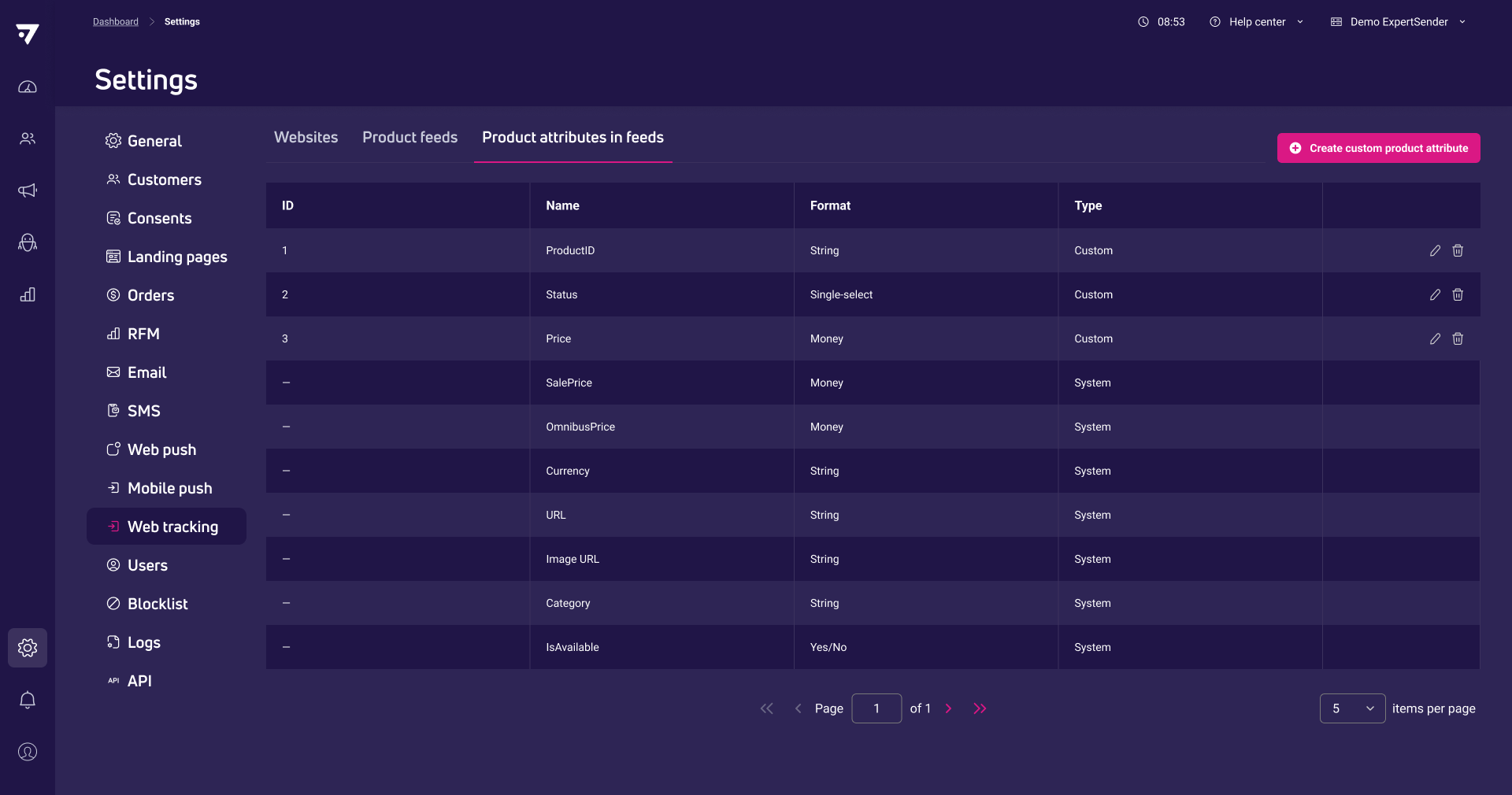
Custom product attributes
You can now upgrade your product feeds with custom product attributes, allowing you to go far beyond standard titles and prices. Whether it’s fabric types, specific dimensions, or unique internal labels, you can now define the exact details that make your products stand out.
Once added, these attributes are available directly in both the drag-and-drop editor and the code editor. This means you can build campaigns and on-site content that translate your technical data into a visually rich shopping experience.
By importing these details directly from your CSV or XML files, your campaign content stays consistent and up to date with your latest product feed updates.
Next, we plan to extend this feature so you can also use custom product attributes in segmentation and in recommendation filters and boosters.
12-03-2026
New
New Dynamic Content method – GetOrders
The new GetOrders dynamic content method lets you retrieve order information for a specific customer. This allows you to build post-purchase scenarios, such as displaying the most recently purchased products to the customer.
New
API endpoint enables download of recommendation attribution report
A new API endpoint is available that allows you to download information about products purchased from recommendation frames, whether they were placed onsite or in email. The report includes details on each product and order, with options to include full order line items and product attributes.
Updated
HTML minification and cleanup enabled for new Drag&Drop emails
HTML minification and cleanup is now always enabled by default for emails created in the drag and drop editor. This helps keep message size below limits set by email providers.
Fixed
Recipient segments cannot be selected in both send to and exclude fields
Fixed segment selection in Newsletter, SMS, and Web Push wizards — segments selected in the “send to” field are no longer visible or selectable in the “exclude” field (and vice versa).
February
6 New1 Updated3 Fixed
19-02-2026
New
API endpoint for attributed orders reporting
A new API endpoint allows you to retrieve ecommerce orders attributed to specific marketing messages or actions within a chosen date range. The report supports filtering by website, channel, message type, or message ID, and can optionally include detailed product line items for each order. See documentation
New
Bot clicks filtering PoC for message events and statistics
Bot-generated opens and clicks are now detected and filtered from message events, delivery statistics, unsubscribes, and confirmation actions. This capability has been released as a proof of concept and will be further developed in future updates.
New
Export raw customer activity events by channel via API
Raw customer activity events can now be exported by channel using the API. These endpoints let you schedule and download asynchronous CSV exports of activity events across Email, SMS, and Web Push for a selected date range. See documentation
Fixed
Dynamic Content icon works in on-site code editor
The Dynamic Content icon now functions correctly when editing on-site content in the code editor.
Fixed
Recommendation logic always shown in reports
The Recommendations report now consistently displays the current recommendation logic for banners, popups, and emails, even if there are no associated orders.
Fixed
Consent values update reliably in scenarios with multiple consents
Consent status is now updated in time for scenario flows when a subscriber signs up for multiple consents at once.
04-02-2026
New
API endpoint for single SMS message performance
Now you can get detailed performance statistics for a specific SMS message via API, including KPIs and percentages, with optional grouping by message or sender. You can also include metadata such as sender name, UTM parameters, and sent date. This enables more precise tracking of SMS campaign effectiveness.
New
API endpoint for single web push message performance
You can now access performance metrics for an individual Web Push message through the API, with options to group results by message or website and filter by website. The endpoint also supports returning message details such as name, UTM parameters, sent date, and website information. This helps you analyze Web Push campaigns at a detailed level.
New
API endpoint for single email message performance
You can now retrieve detailed performance metrics for a specific sent email message via API, including KPIs and percentages, with optional grouping by domain, domain family, or IP. The endpoint also lets you include message metadata such as subject, UTM parameters, and sent date. This allows for more granular analysis of individual campaign results outside the platform.
Updated
Export report tables to Excel in key reports
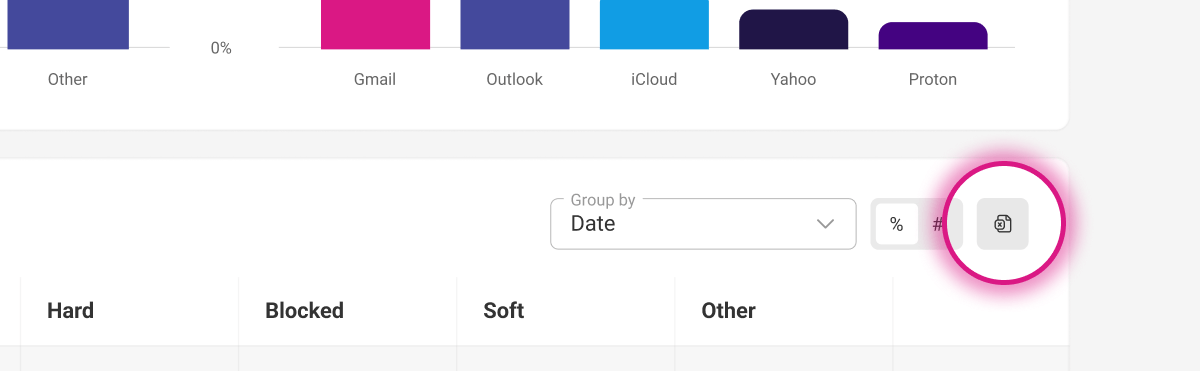
Now you can export data from selected report tables to Excel in Email, SMS, Web push, Website insights, and Recommendations summary reports. This allows you to work with the data outside the platform.
January
2 New1 Updated3 Fixed
16-01-2026
Fixed
Popup wizard live preview works after summary reload
Live preview in the popup wizard now functions correctly after reloading the summary tab.
08-01-2026
New
Exclude segments from web push newsletter recipients
You can now exclude specific customer segments when sending web push newsletters, and see a breakdown of how many recipients are excluded. This helps you target only relevant audiences for each campaign.
New
Exclude segments from SMS newsletter recipients
Now you can exclude selected customer segments when sending SMS newsletters and view how many recipients are excluded from the campaign. This lets you focus your messages on the most relevant groups.
Updated
Clearer label and description for complementary recommendations
The complementary recommendation mode now has an updated label and description that accurately reflect its purpose and logic.
Fixed
Search in API logs by request body works as expected
Searching API logs by request body now works correctly and provides clear instructions for single-line searches.
Fixed
Live preview in confirmation messages generates correctly
Generating a live preview in confirmation messages no longer results in an error.
2025
November
7 New2 Updated1 Fixed
21-11-2025
New
API endpoint for Email channel summary reporting
You can now obtain consolidated email channel metrics via API, grouped by message, date, month, domain, domain family, IP, or message type with optional filters. This makes it possible to compare email performance and revenue across operational and marketing traffic.
New
Search API logs by request body content
Now you can search API logs using text from the request body, making it easier to locate specific calls or troubleshoot issues.
New
Exclude segments and inactive customers from email newsletters
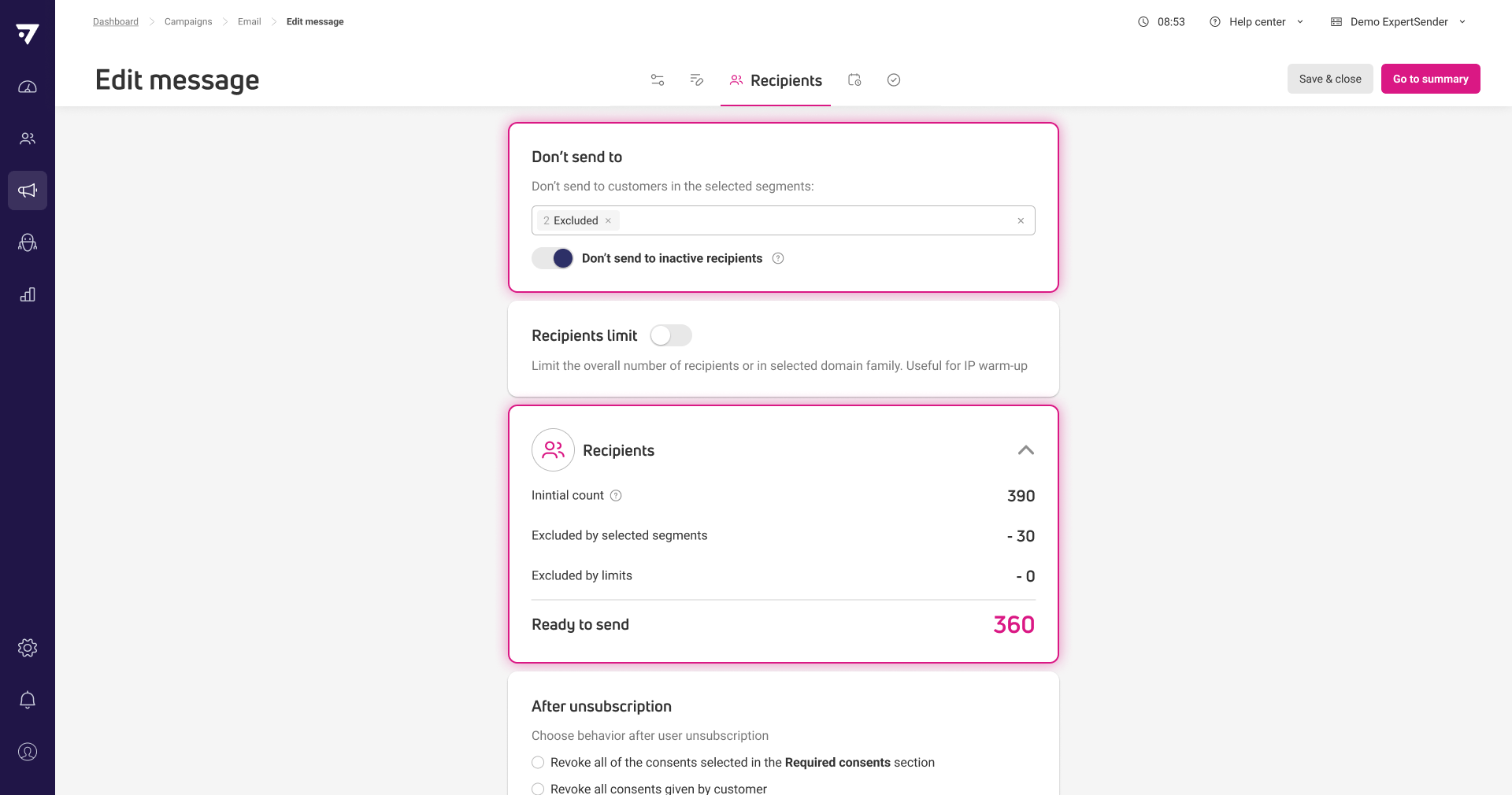
You can now exclude specific segments and inactive customers when sending email newsletters and see a clear breakdown of excluded recipients in the campaign wizard and summary. This helps you target only relevant and engaged audiences for each campaign.
New
API endpoint for Web Push channel summary reporting
You can now retrieve aggregated Web Push performance metrics via API, grouped by date, month, website, message, or message type and filtered by key attributes. This allows you to analyze delivery, engagement, and revenue for Web Push campaigns across different breakdowns.
New
API endpoint for SMS channel summary reporting
Now you can access summarized SMS channel KPIs through a dedicated API endpoint, with grouping by date, month, sender, gateway, message, or message type. This enables quick reporting on SMS delivery and engagement for any selected period or filter.
06-11-2025
New
Order status attribute available in segmentation and Customer 360
Segments now include the order status for more precise targeting based on order states. All orders are also reflected in Customer 360 metrics such as last order date and LTV.
New
Export bounces report table to Excel
Now you can export the data from the Bounces report table directly to Excel for further analysis outside the platform.
Updated
Default sorting applied to all data grids
The system now automatically applies the most relevant default sorting to each grid, so you see key information first without manual adjustments.
Updated
Simplified methods for dynamic product content in communications
You can now use new helper methods to easily insert product recommendations, cart contents, abandoned browse products, and price drop items into emails, pop-ups, and banners using Razor syntax. This lets you personalize marketing content with standardized product data without complex setup.
Fixed
Revenue option restored in A/B test settings
The Revenue option is now correctly available in the A/B test winner selection dropdown.
October
2 New5 Updated2 Fixed
23-10-2025
New
Sales.lv SMS gateway integration available
Now you can send SMS campaigns using the Sales.lv (NESS Solutions) gateway as an additional sending option.
Updated
Consent opt-in and opt-out dates available in API
You can now retrieve the exact date and time of each consent status change through the Customers API, making it possible to synchronize detailed consent history with external systems.
15-10-2025
Fixed
Empty carts excluded from current cart segmentation
Segments using the current cart restriction no longer include empty carts.
07-10-2025
New
Two-step confirmation for double opt-in emails
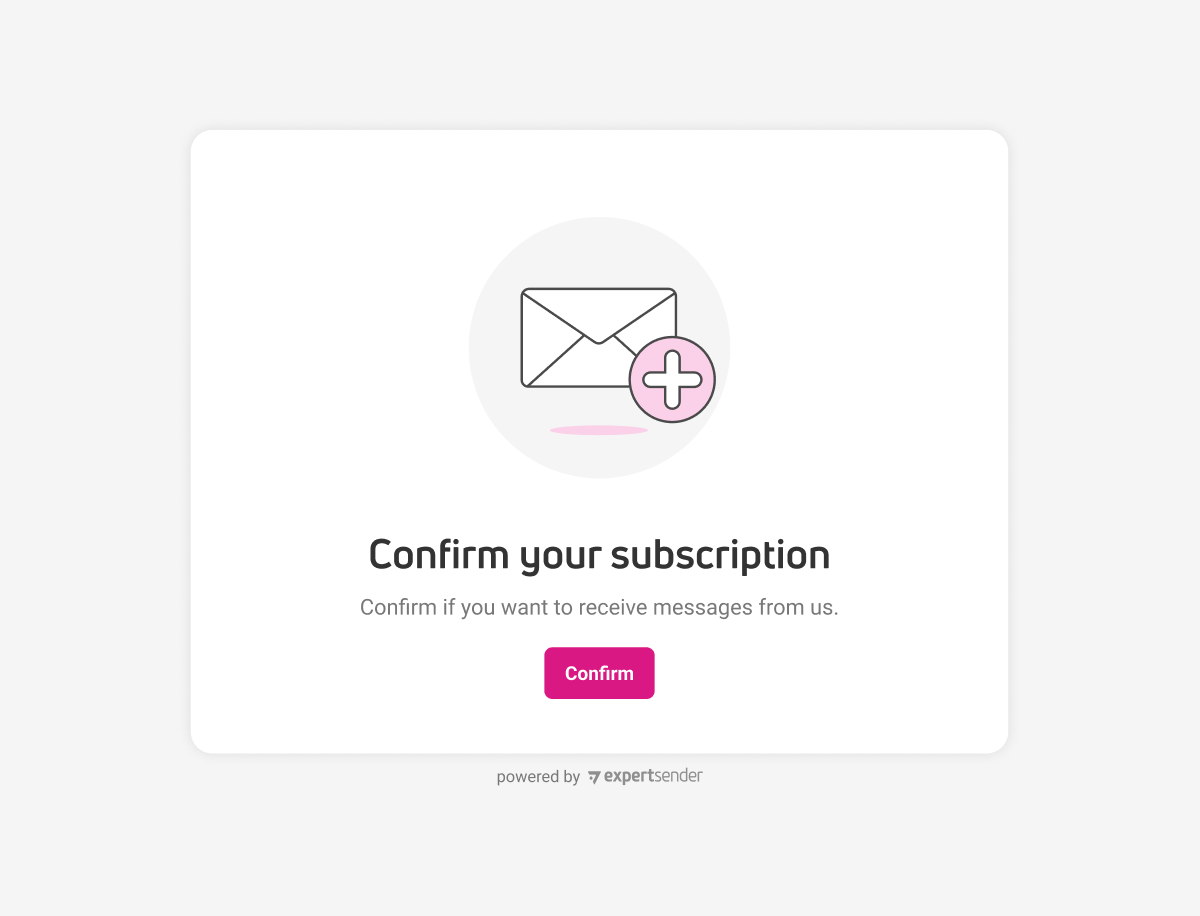
Now you can require subscribers to confirm their consent on a landing page after clicking the confirmation link in a double opt-in email, reducing the risk of bot-driven signups. This option is managed in settings.
Updated
Forms support live test submissions in preview mode
Forms now allow full submission testing during preview, including confirmation messages and scenario triggers.
Updated
Updated default banner template in code editor
The default banner template in the code editor has been refreshed to match current standards and requirements.
Updated
SMS preview uses short domain for links
Previews now show SMS links with the short domain, matching the actual message sent to recipients.
Updated
Updated default pop-up template in code editor
The default pop-up template has been updated to reflect the latest design requirements.
Fixed
Website insight report grid loads correctly
The Website insight report grid now displays as expected.
September
1 New2 Updated
03-09-2025
New
API export of customers from segments with field selection
You can now export customers from any segment via API and specify which fields to include, such as system fields, custom attributes, or consents. The export runs as a background job and provides a download link when complete. For more details, see: https://help.expertsender.com/ecdp/customer-export-from-segment/
Updated
SMS links are now recognized without protocol
The system now detects and tracks links in SMS content even if they do not start with http or https.
Updated
Templates available for double opt-in confirmation messages
You can now use templates when creating double opt-in confirmation messages, reducing setup time for recurring campaigns.
August
2 New2 Updated2 Fixed
21-08-2025
New
Custom attribution window for web tracking
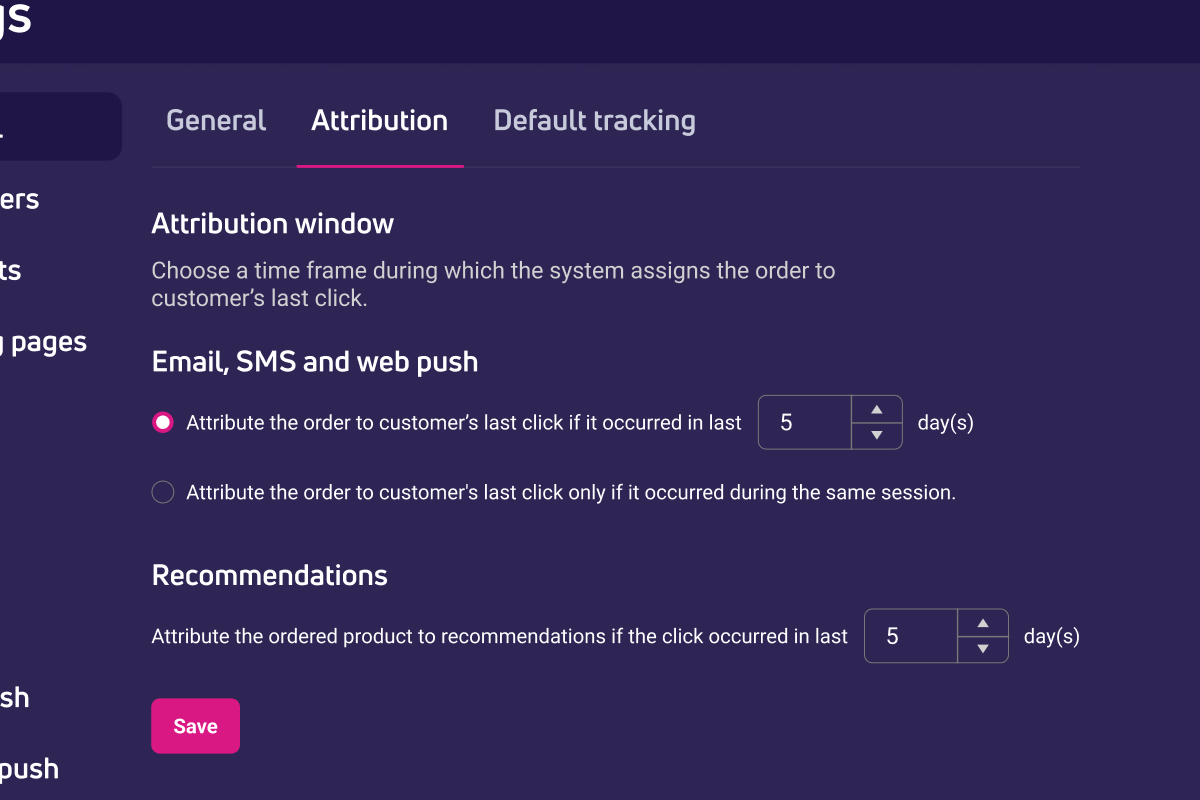
Now you can set how many days after a click should count toward order attribution for each channel, instead of only attributing conversions within the same session. This lets you match attribution logic to your business cycle and reporting needs. The setting is available per Unit in the Attribution tab of general settings.
Updated
Default template for confirmation messages
The system now provides a ready-to-use default template when creating new confirmation messages in both Unlayer and Code editor, reducing setup time.
Fixed
Image replacement now works correctly with duplicate file names
Replacing an image with a new file of the same name now updates the image as expected.
12-08-2025
New
Terms & Conditions mode in email messages
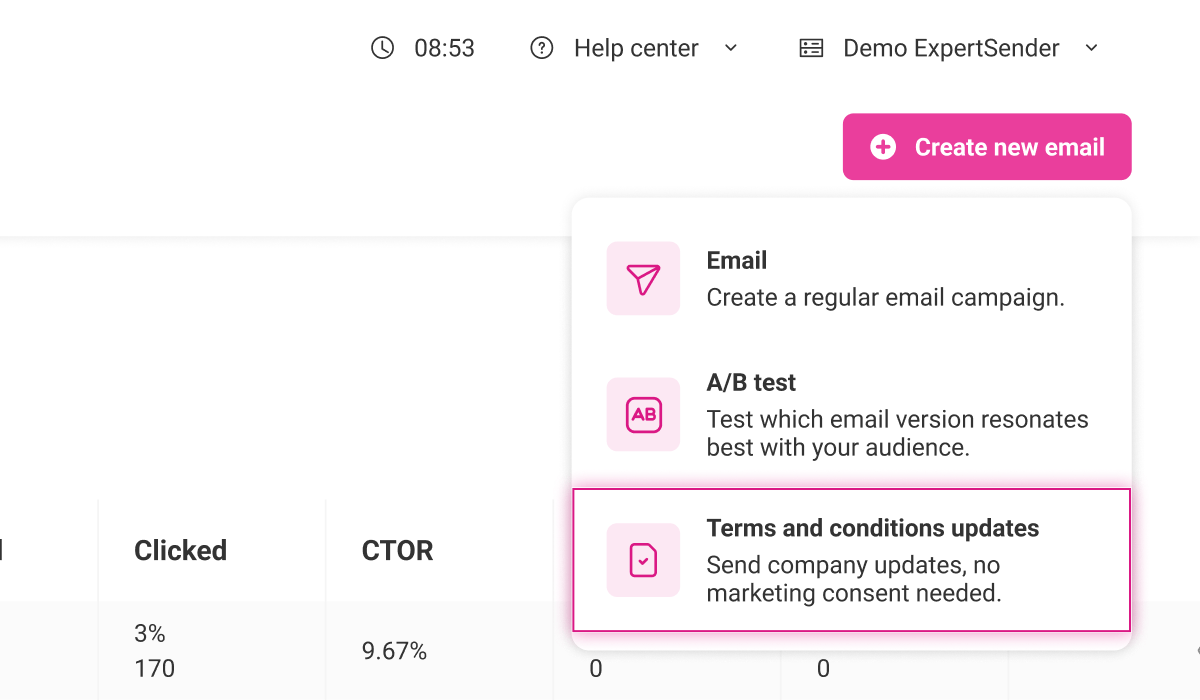
A new Terms & Conditions mode in email messages lets you send newsletters without linking them to any specific consent. This mode skips all consent-related sections and unsubscribe options, and messages sent this way are tracked separately in billing under Terms & conditions sends. To enable this feature, please contact your account manager.
Updated
Copy sections between double opt-in messages
You can now copy individual sections between confirmation and reminder messages in the double opt-in wizard, making it faster to reuse content or settings.
Fixed
Web push DOI prompts require Allow or Deny actions
Web push double opt-in prompts now enforce assigning Allow or Deny actions to buttons, preventing incomplete setups.
July
1 New1 Updated
17-07-2025
New
Double opt-in reminders and unified message management
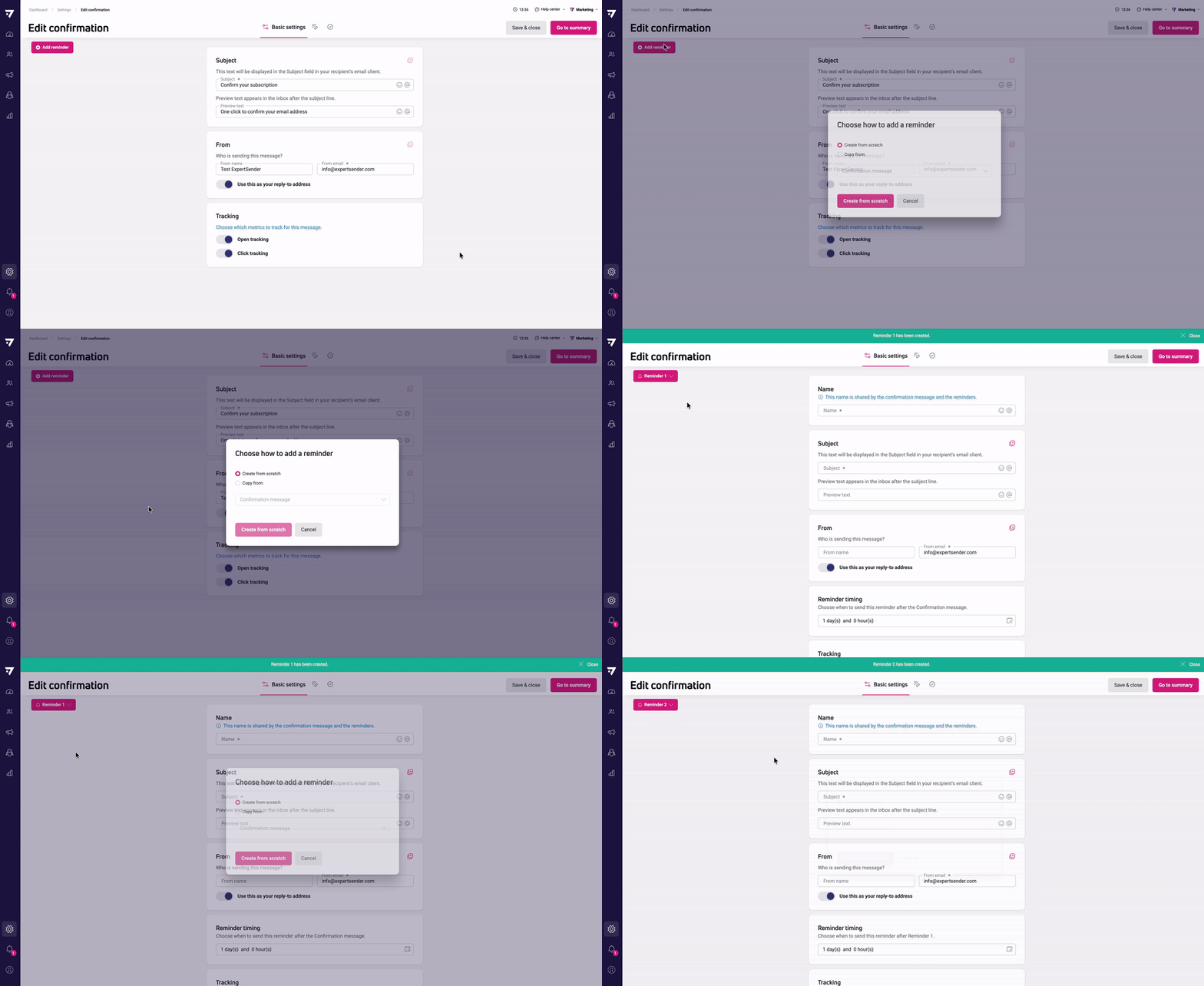
You can now add up to two reminders to confirmation messages in the double opt-in process, manage all related messages from a single wizard, and configure delays between sends. The grid and reports have been updated to show reminders alongside confirmation messages, and you can preview, edit, or copy content across all message types. This gives you more control over the opt-in flow and follow-up strategy.
01-07-2025
Updated
Control banner and popup display by device type
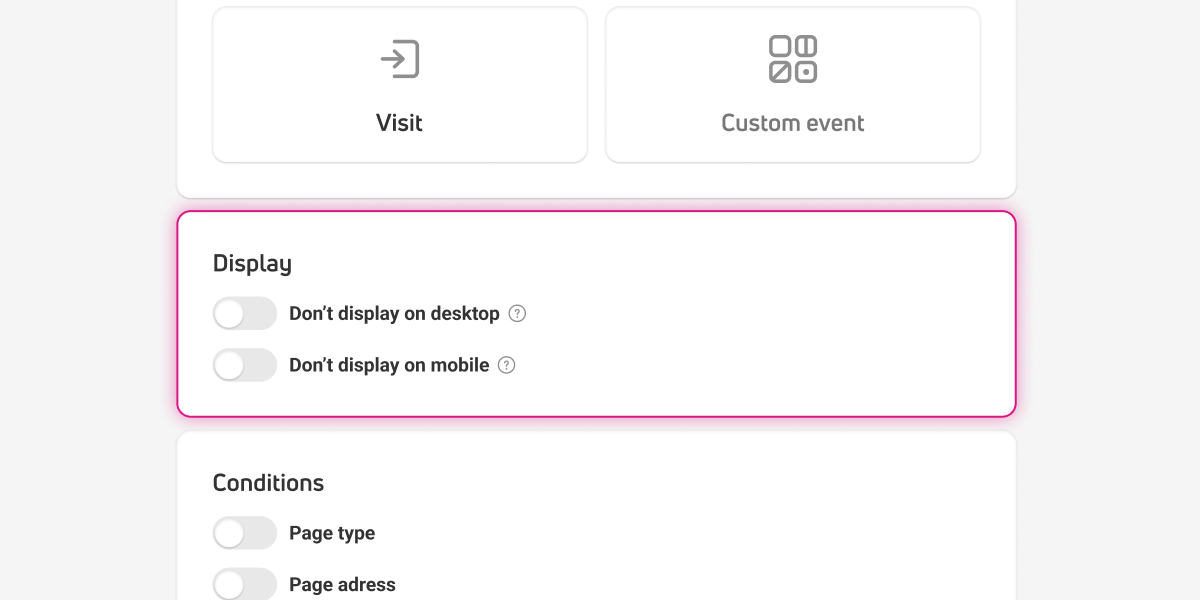
You can now choose to hide banners, popups, and forms on either mobile or desktop devices directly from the Behaviour tab. This allows you to target content more precisely based on screen size.