Configuring recommendation types and display modes
Configure how product recommendations work by selecting appropriate types and display modes that match your store’s needs. These settings help you show customers products based on their previous activity on your site, increasing conversion chances.
You’ll also learn how to effectively present recommendations to new users who don’t have browsing history yet.
Recommendation settings
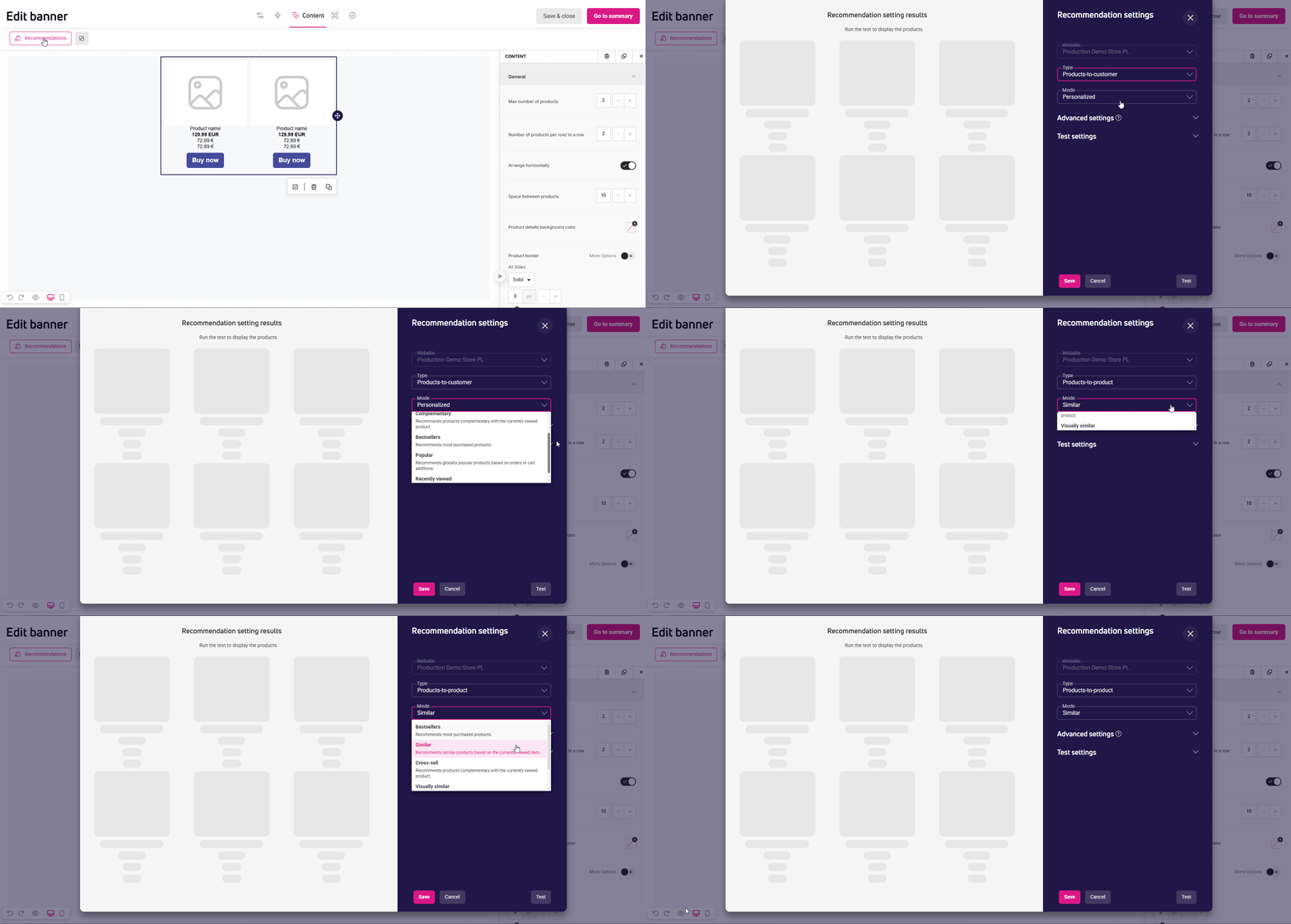
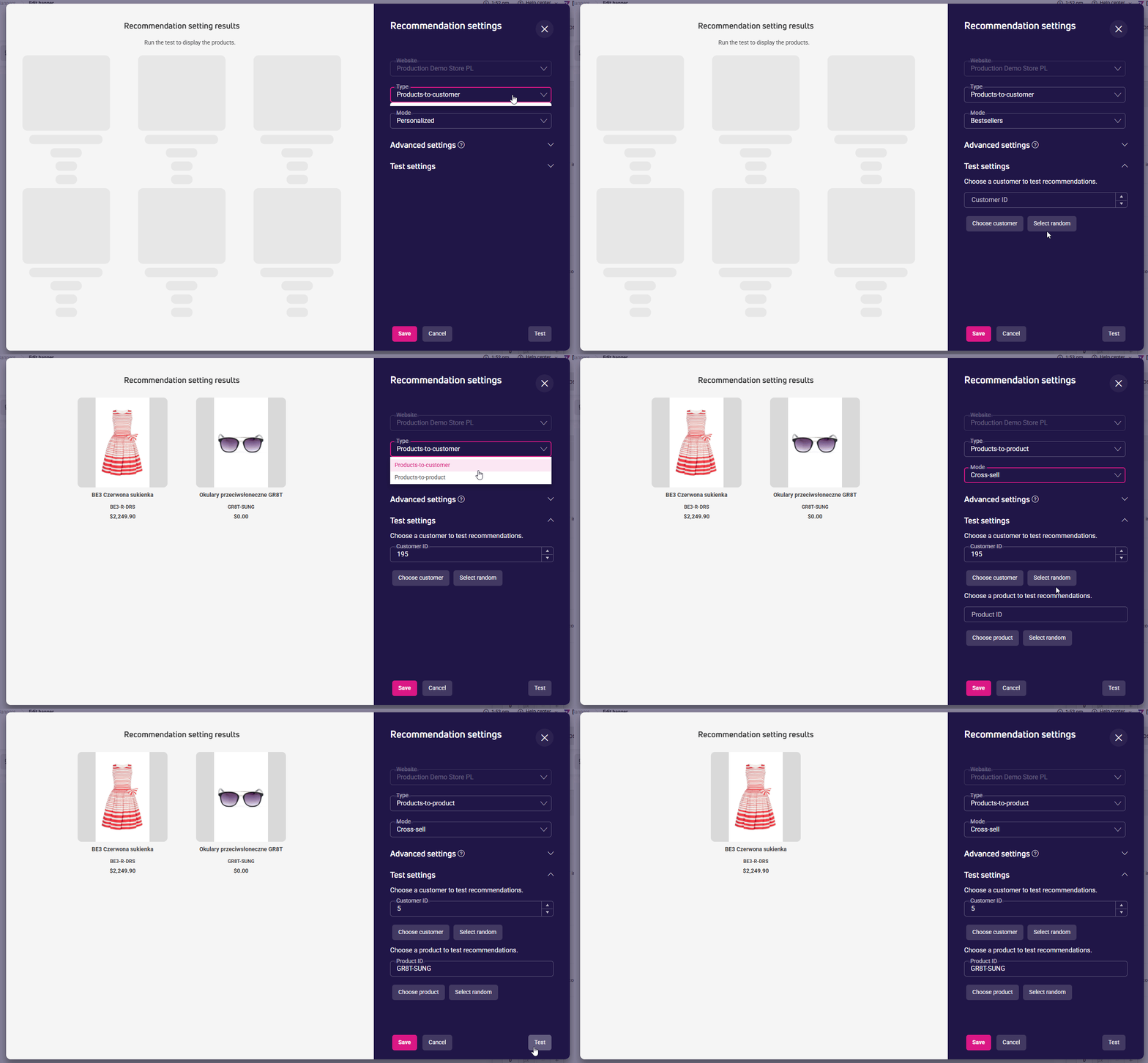
After adding a recommendations block, click the Recommendations button available in the toolbar above the workspace.
The recommendation settings window contains:
- Settings panel
- Preview section showing available products that meet your selected criteria. The preview doesn’t reflect appearance settings applied in the content block.
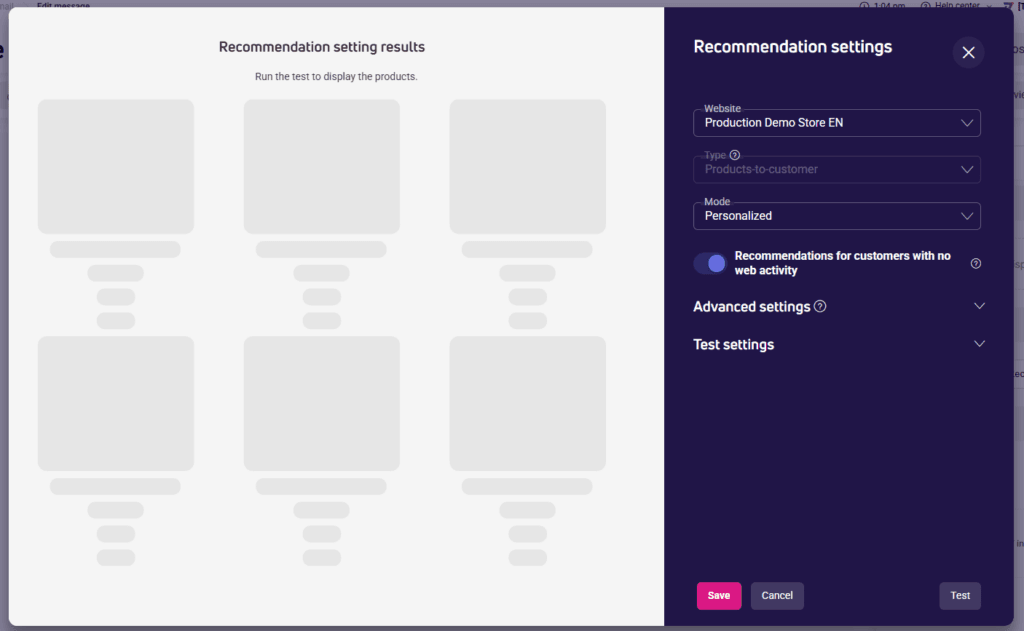
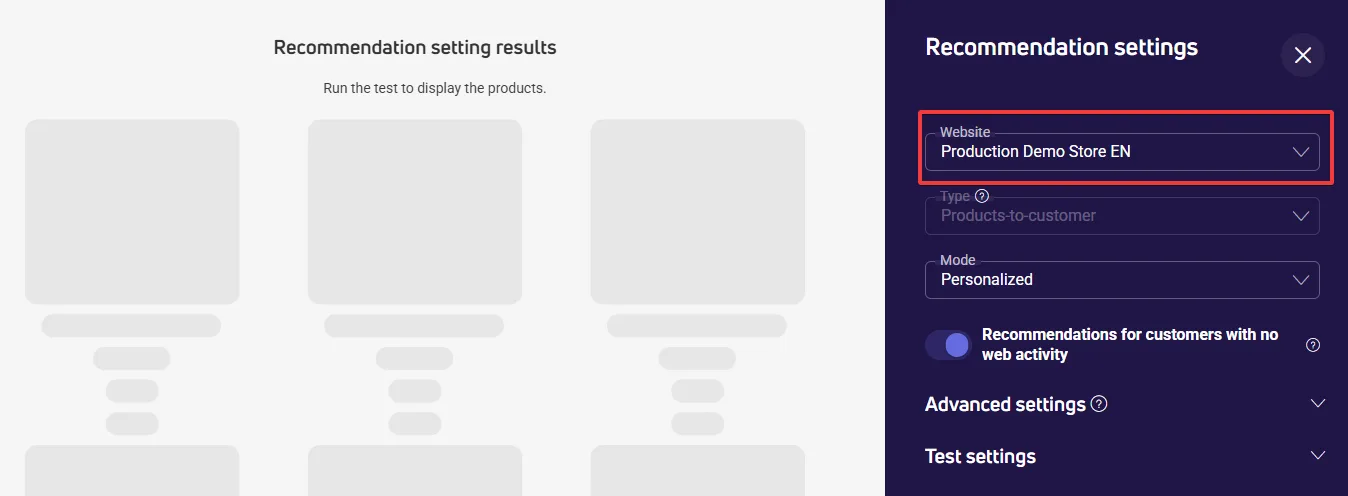
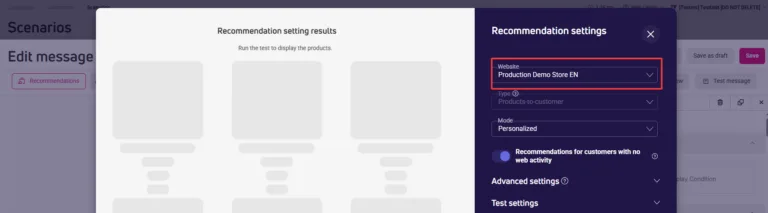
Website
If you’re designing an email message:
- Select an active website where links to recommended products should lead.

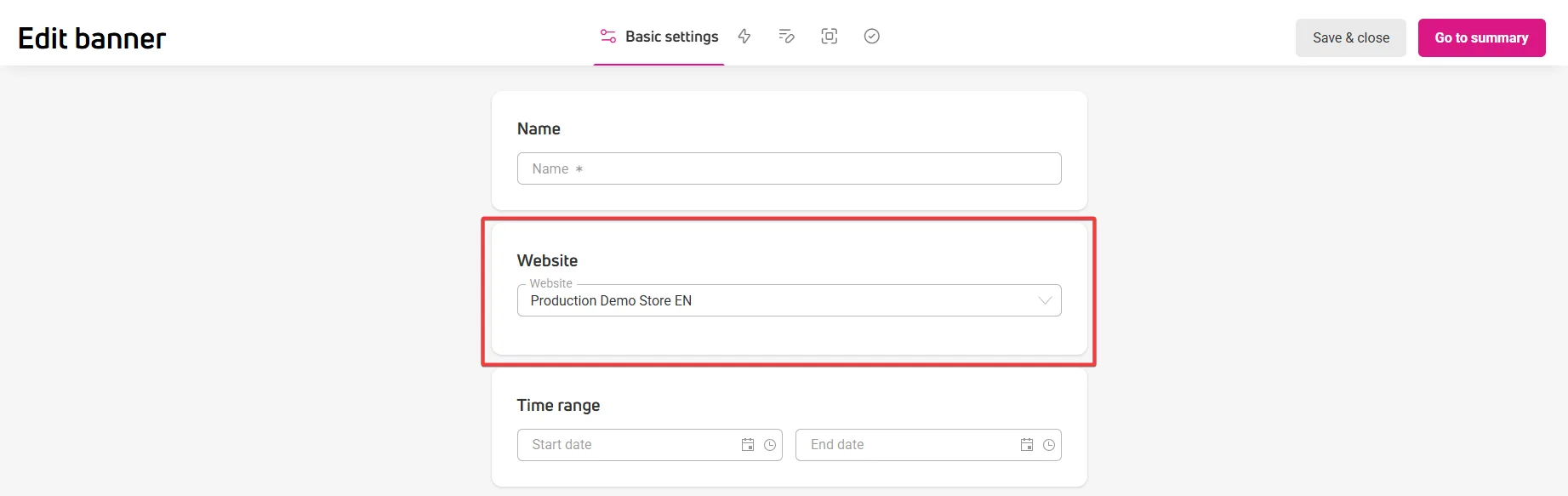
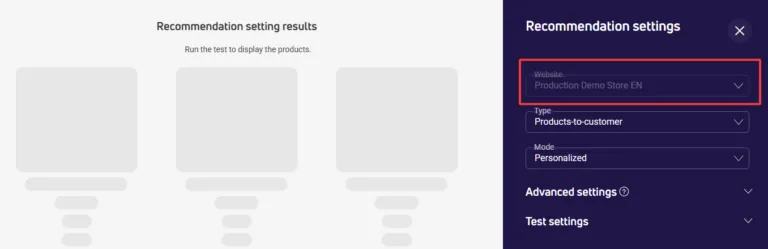
If you’re creating a banner or pop-up:
- In the Website field, you’ll see the website address in ‘read-only’ mode.
- This is the address of the active website you have selected in the Basic settings stage.


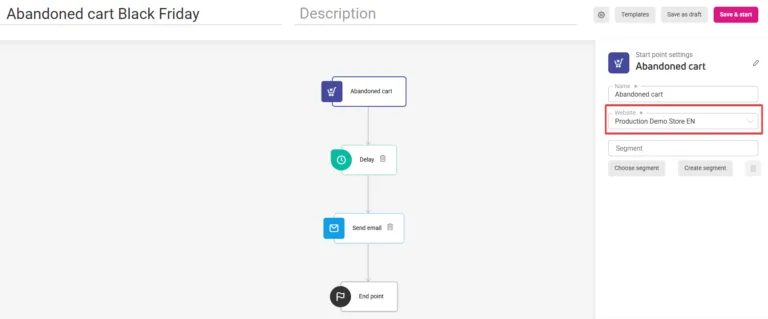
If you’re creating email content in a scenario:
- Select an active website.
- It must be the same website that was set in the starting point of the scenario.


Recommendation types
In this field, you’ll choose how to recommend products:
Products-to-customer – these are product suggestions based on user activity, such as viewed products, cart contents, or completed orders. This type of recommendation works well in sections like “selected especially for you” on the store’s homepage or in email messages.
Products-to-product – these are suggestions of products related to the currently viewed item, such as alternatives or complementary products. Products are displayed according to relevance, with the most suitable product shown first. This recommendation type is based on product ID available in given subpage (mostly a product page). This is also the reason it IS NOT AVAILABLE in:
- email messages,
- email content in scenarios,
- cart page.
Recommendation modes
Each recommendation type offers modes suited to different marketing goals.
For Products-to-customer type:
- Personalized – products are recommended based on search terms and customer preferences.
- Cross-sell Recommends products complementary with those currently in the cart.
- Bestsellers – mode recommending the most frequently purchased products.
- Popular – popular products based on orders or cart contents.
- Recently viewed – products recently viewed by the customer.
For Products-to-product type:
- Similar – products like the one being viewed are recommended.
- Bestsellers – most frequently purchased products.
- Cross-selling – products that complement the currently viewed product.
- Similar looking – products with a similar appearance.
- With similar properties – products with similar features.
- Emailing – recommends different products in each email of a campaign. You’ll find them in email newsletters and email content in scenarios.
Recommendations for users without website activity history#
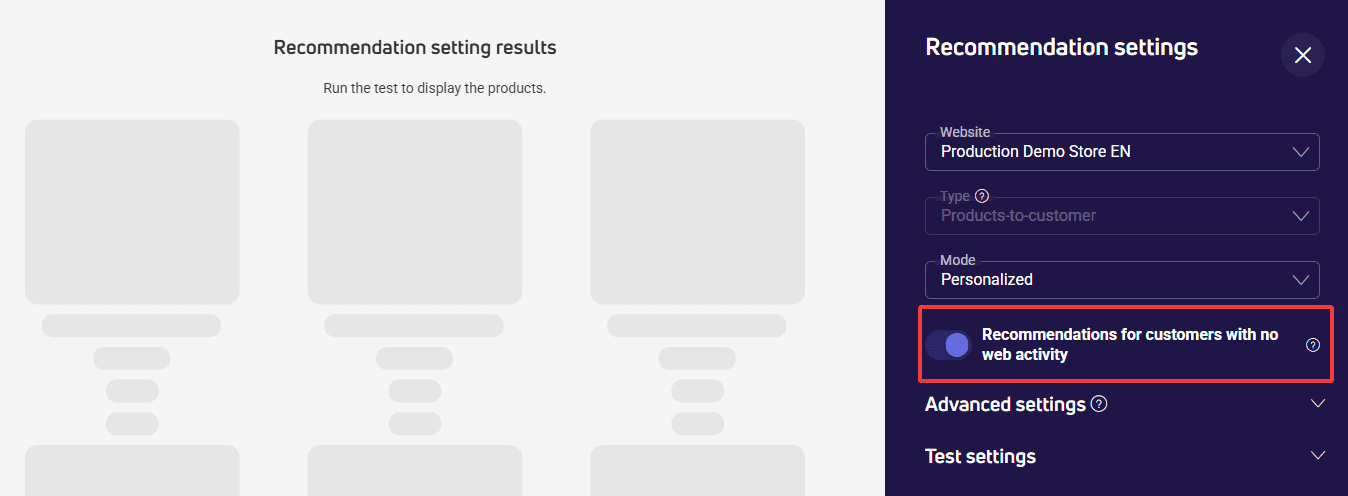
Among visitors to your store may be people who have arrived there for the first time. Since they don’t have activity history yet, e.g., they haven’t browsed products or added them to their cart, the system can’t identify products based on their behaviors.
In this case, you have two options:
- You can enable the Recommendations for customers with no web activity option. General, non-personalized recommendations will appear in the message content.
- Hide the recommendations block for such users – use the Display conditions option and apply appropriate conditional syntax.
Testing recommendation settings
Before sharing recommendations, check if your settings work correctly.
For testing, you need a customer ID from your database. You can:
- Enter it manually. You’ll find the ID in the Customers > Customers section.
- Select a customer ID from the list.
- Use a random ID selection. Then the Customer ID field will be filled automatically.
Click Test to see the effect of your settings in the preview.
Frequently asked questions
What’s the difference between the “Bestsellers” modes available in both recommendation types, “Products-to-customer” and “Products-to-product”? Do customer-based products recommend items the customer buys most often, while product-based products recommend the most popular items from the category of the viewed product?
In both cases, Bestsellers mode is based on the most frequently purchased products, but the display context is different:
- Products-to-customer – recommendations are generated based on the profile and activity of a specific user. Bestsellers mode shows the most frequently purchased products in the store.
- Products-to-product – recommendations are linked to the product the user is currently viewing. The system uses the product ID found on the product page and shows bestseller suggestions in that context.
So it’s not that the Products-to-customer type shows the products that specific customer buys most often. It’s more that these are recommendations shown in the context of a given user, while Bestsellers mode itself is based on overall purchase popularity.
How exactly does the “Popular” mode work in the “Products-to-customer” recommendations type?
Popular mode shows products that get the most user interest. Popularity is based on product-related activity – orders and cart contents.
How does the “Similar looking” recommendation mode work? Does the AI analyze the images?
This recommendation mechanism uses deep neural networks to analyze product images and assess their visual similarity. As a result, recommendations aren’t based only on categories or catalog attributes, but also on how the products look.
How does “Products-to-product” work in the “With similar properties” mode? Which product attributes are used, and how are they read?
This recommendation type uses product data stored in the product catalog. It analyzes:
- numeric values,
- value sets (e.g. colors, brands, categories),
- text content and product descriptions.
Similarity is determined by using machine learning methods, including NLP models that analyze unstructured text descriptions. As a result, the system finds products that are most similar in terms of their features and properties.
What happens with the “Recently viewed” mode in the “Products-to-customer” type in the category if the customer hasn’t viewed anything? Do the recommended products that don’t display still count toward recommendation requests?
To show recommendations in Recently viewed mode, the user needs to have a product viewing history. If that data doesn’t exist, the system has no basis to generate recommendations.
Do the recommendations that don’t display count toward the number of calls?
That depends on how it’s implemented:
- if the recommendation set is hidden before the recommendation request is even sent, for example, based on display conditions that only apply to certain users, then that call won’t be counted;
- if the system does try to fetch recommendations, but the user doesn’t have the browsing history needed to generate results, that will count as a recommendation call.
Next steps
See also: